This release brings
Enhancements
Intake Form Builder
You can build and review intake forms faster now, with less repeated data entry along the way.
New features:
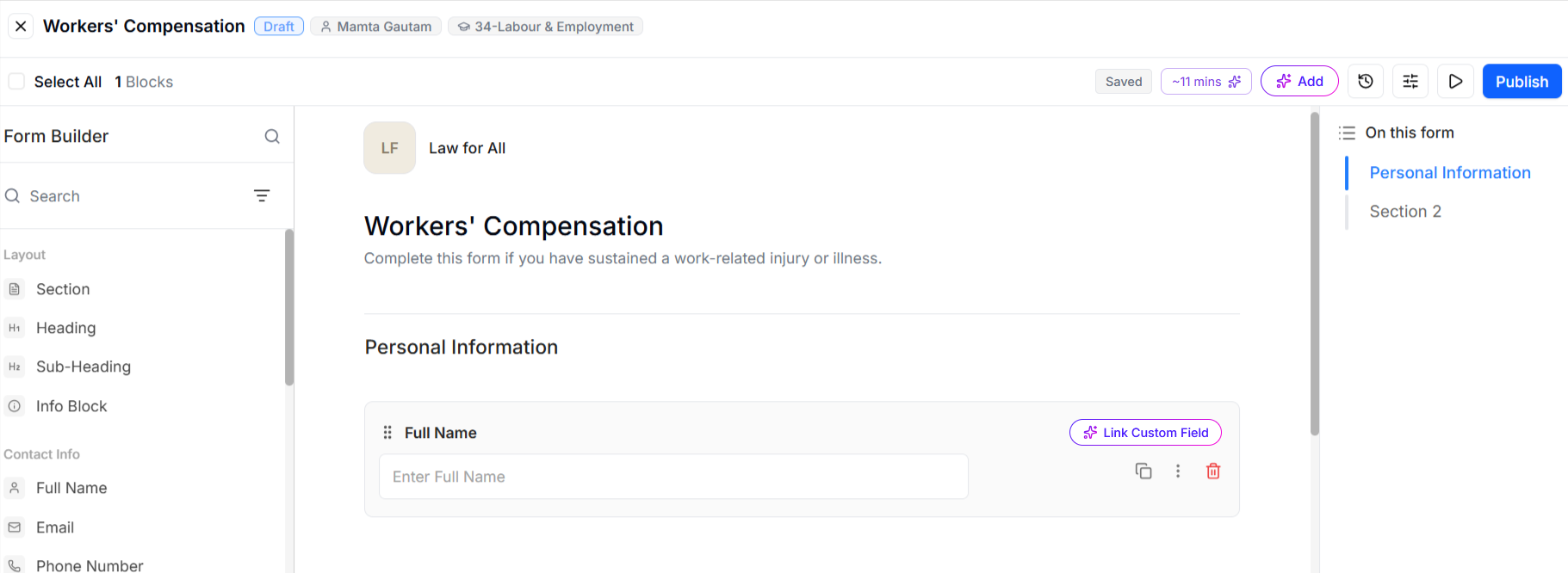
- Let AI build your intake form for you: Describe what you need, and AI drafts the questions and fields so you're refining a form instead of starting from a blank page.
- Firm Name: Your firm name fills in automatically when you create a new form, so you don't have to enter it every time.
- Description: With the optional description field, you can create a form with just a name and area of law and add details later, when you have time.
- Matter Record: Your clients' responses now populate matter fields automatically on submission, so you get their answers on the matter record without re-entering them.
- Download: You can download any file a client uploaded directly from their completed submission, without hunting for it elsewhere.
- Filters: Currency and amount filters now use the standard filter operators, so you filter by amount the same way you do everywhere else in the application.
To learn more, read:
Intake Workflow Builder
A new set of management tools helps you keep a growing library of intake workflows organized and reliable, with less manual checking.
Here's what you can do:
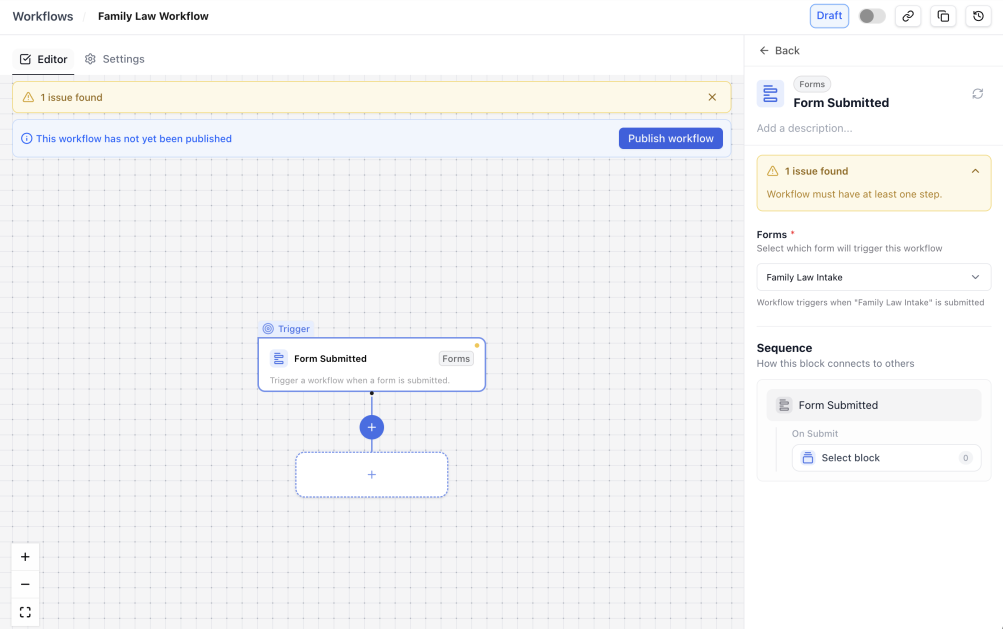
- Identify Incomplete Branches: The canvas flags orphaned branches before you publish, and the side panel lets you assign or reassign a branch to any slot.
- Workflow Grid: Find and manage every workflow in a dedicated grid with search, filters, sortable columns, and saved layouts.
- Delete Unneeded Workflows: Select several workflows and delete them in a single step.
- Version History: Review the full version history for a workflow and restore an earlier version whenever needed.
- Activity Log: Track who changed what, and when, in a per-workflow activity log.
- Automatic Retry: Integrations recover on their own — failed webhook deliveries retry automatically, and administrators can see and reprocess any that still fail.
If you manage several workflows, the new grid and activity log make it easy to spot changes and clean up unused workflows in one pass instead of opening each one individually. To learn more, read:
Bank Feed Notification Settings
If you're a firm administrator, you can now turn bank feed notifications on or off for the whole firm, and set the cadence that fits how your firm works.
- Go to Setup > Firm Preferences > Bank Settings to manage notifications for your firm.
- If these alerts aren't useful for how your firm works, you can switch them off entirely.
- When you keep notifications on, choose the cadence that works best for you: a one-time alert, a daily summary, or a weekly summary.
Choosing a daily or weekly summary instead of individual alerts means fewer, better-timed messages instead of a steady stream of notifications.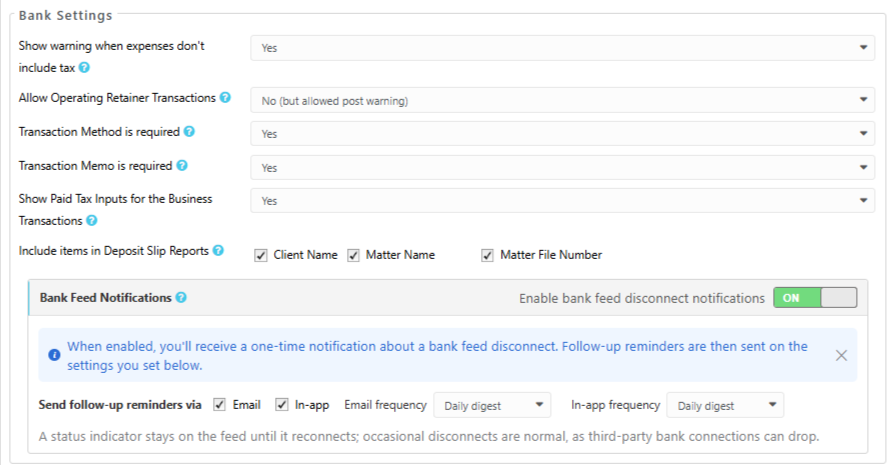
Matter Owner Column on the Pre-Bill Report
You can now see a Matter Owner column in the Summary view of the Pre-Bill (Matter Billing) report when All Matter Owners is selected. That means you can review and distribute pre-bills by owner without running the report separately for each person.
Conflict Check — Partial Matches On by Default
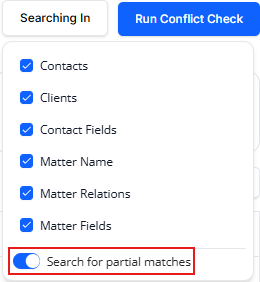
The Search for partial matches option is now enabled by default when you run a Conflict Check. You'll see near-matches and variant spellings on your very first search, rather than only after you change a setting yourself.