This release brings end-to-end lead management, branching logic support for workflows, and general improvements that enhance your functionality.
Enhancements
Lead Management
You can track your prospects, from the very first contact until they become your signed client, all within the Intake window.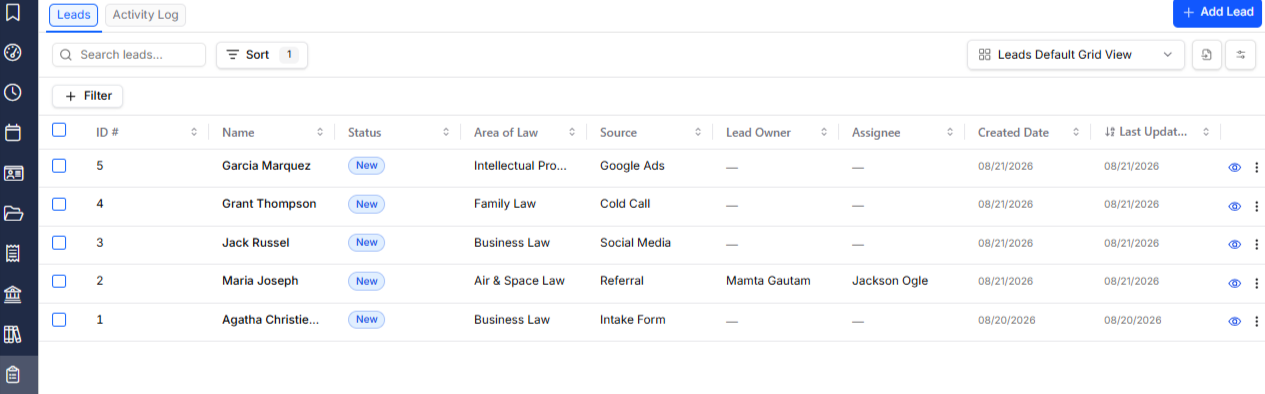
New features:
- Leads Page: The new Leads page shows your full prospect pipeline in one searchable, filterable grid, with quick actions and saved layouts (that can be stored for you, or shared with other users).
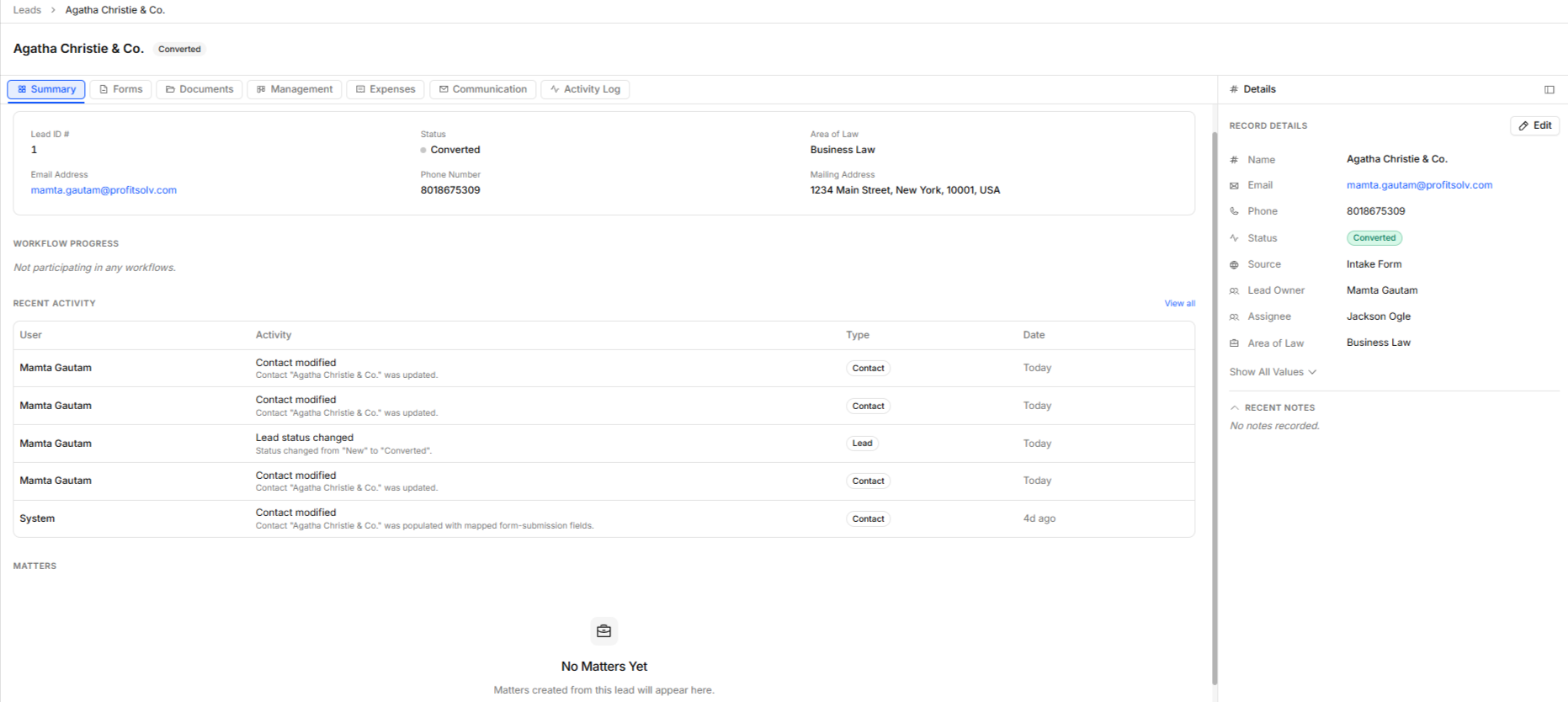
- Prospect Details: Each lead opens into a detail view that brings together contract details and workflow progress, with everything related at the tips of your fingers: submitted forms, emails, documents, consultations, tasks, and notes.
- Automated Intake: Your intake steps — booked consultations, documents sent, confirmation emails, etc. — are recorded on the lead as they happen, alongside a complete activity log of every action taken.
To learn more, read:
Use Conditional Logic in the Workflow Builder
You can now add branching, conditional logic flow to your Intake Workflow Builder, allowing you to build workflows that adapt to what each prospect actually does. Add a Logic block after specific action steps, and route the workflow down two paths — one for when a condition is met, and one for when it isn't.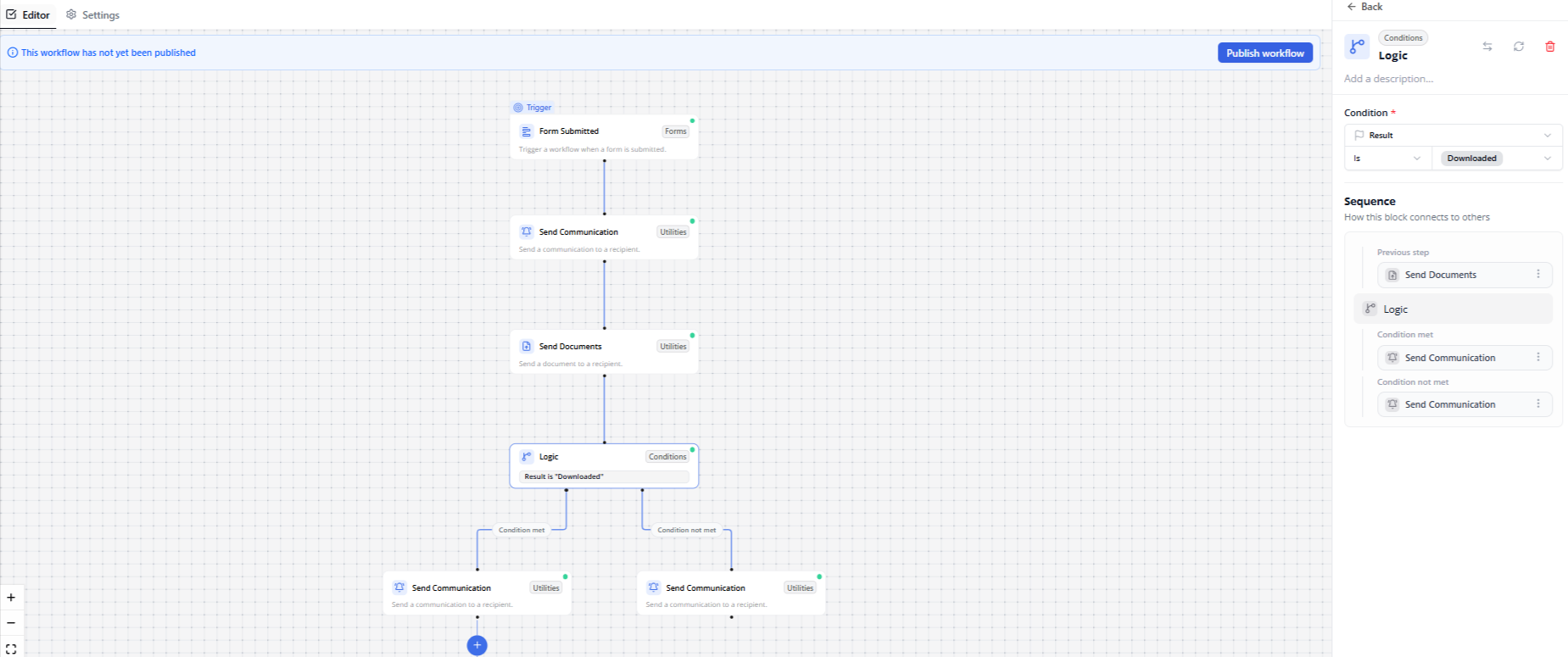
Branching:
- Specify Conditions: Conditions are built through guided, context-aware drop-downs rather than free-text fields, making them quick to set up and hard to mis-configure.
- Changing Flows: You can now delete or rearrange blocks without losing the steps that follow them, reconnect blocks directly from a block's side panel, and publish with confidence — the builder flags any disconnected steps before a workflow can go live.
To learn more, read:
Usability Improvements
CosmoLex Classic did not enforce ten-digit validation on phone numbers. During the migration process to NextGen, if there is an invalid phone number, the problem is now identified as you type.
- An invalid phone number in the Client modal is flagged inline, so the field that needs correcting is clear before you try to save.
- Contacts carried over from CosmoLex Classic save normally once the flagged number is corrected — unrelated edits are no longer blocked by a validation failure with no visible cause.
- Additionally, the Description field is no longer required when saving a grid view.