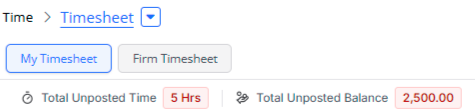
Search for documents using AI, check for conflicts in leads, add conflict check and status update block to workflows, new summary bar to replace cards.
Enhancements
AI Document Search
Watch a Video
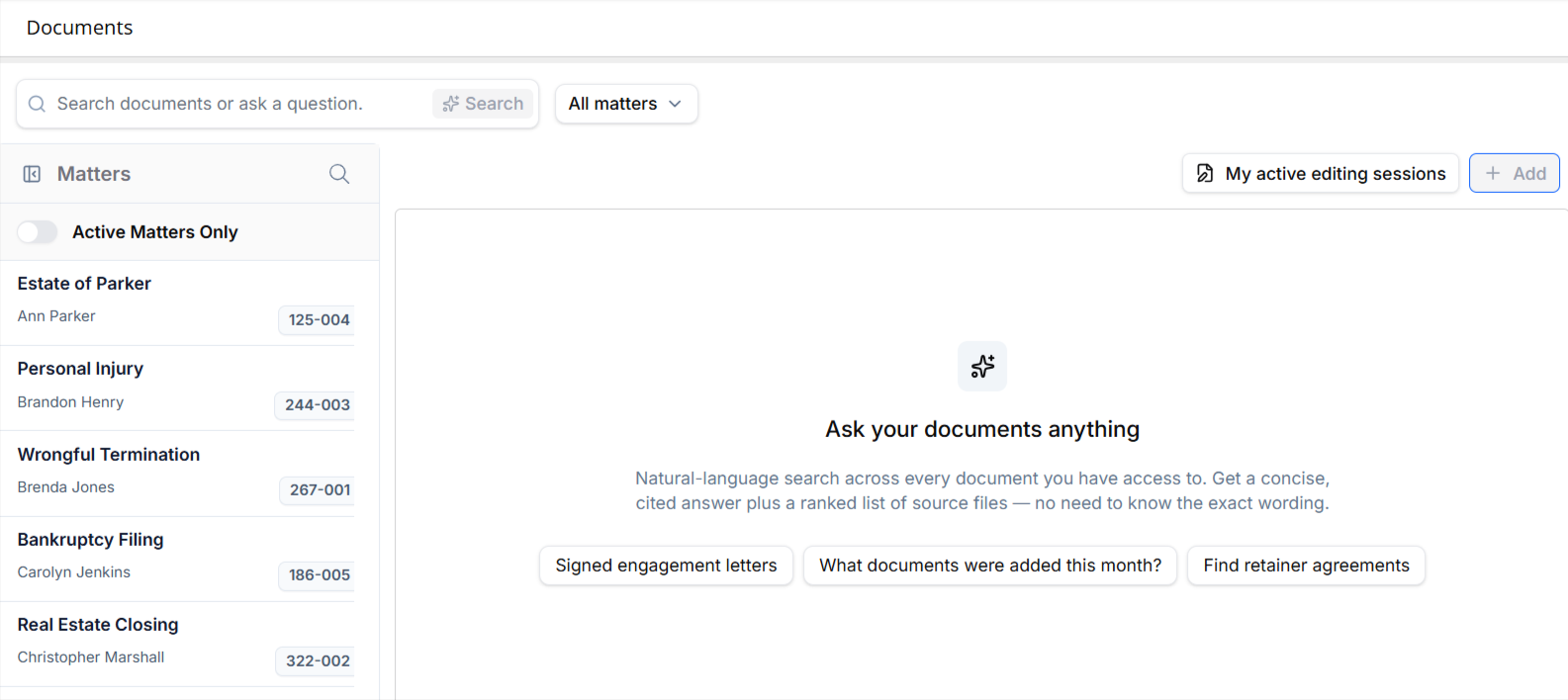
Ask a plain-language question across the documents you have access to and get a short AI-generated answer with citations, followed by ranked search results.
-
Narrow a search to specific matters, and optionally include inactive matters (off by default; inactive results are flagged).
-
Click a citation or result to open the document at the exact cited page, with the supporting passage highlighted.
-
Rate each answer with a thumbs up or thumbs down; a thumbs down lets you pick a reason and add an optional comment.
-
Higher tier: ask follow-up questions, review your last 3 searches, and download an answer as a Word document or save it to a matter, with citations included. AI-generated formatting (headings, lists, bold, italics) now displays correctly on screen and in the export.
-
Polish: "closed matter" labels now read "inactive matter" to match the rest of CosmoLex, the Edit button on a PDF opened from results works immediately, and the duplicate scrollbar below results is gone.
Conflict Check for Leads
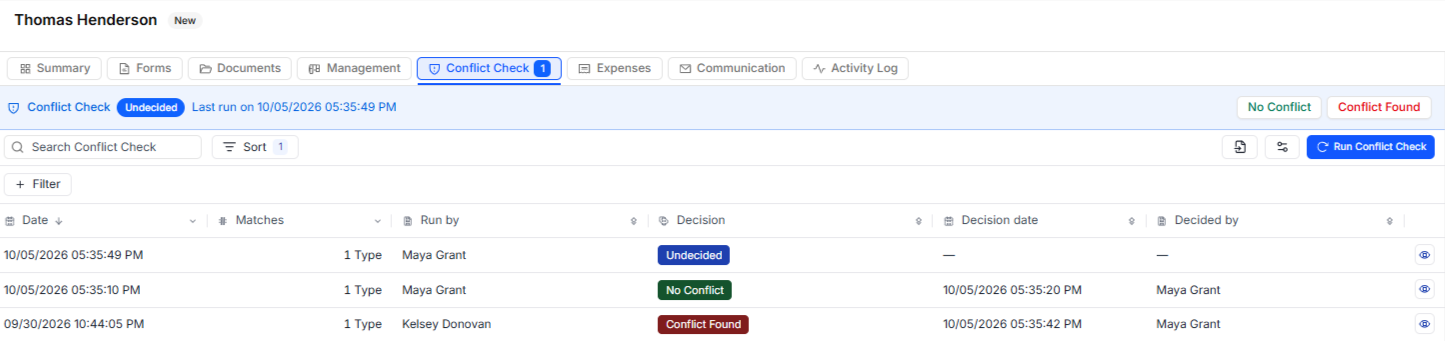
Firms can now run and resolve conflict checks directly on a lead, before it becomes a matter.
-
Run a conflict check on any lead from the new Conflict Check tab in Lead Overview.
-
Firms with access to the Workflow Builder can also automate conflict checks by adding a Conflict Check step to an intake workflow, optionally email selected team members when the check completes, and route the workflow automatically based on the decision recorded.
-
Review each match, including its status, area of law, and owner, and record a No Conflict or Conflict Found decision. Every run is saved in a history you can revisit.
-
Conflict checks run from Matters now include Leads as a searchable category, and "Matter Relations" has been renamed "Relations."
Update Status Block in Workflow
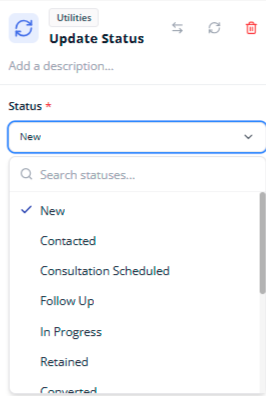
The Update Status block lets a firm automatically move a lead to a new status as part of a workflow. When a workflow reaches this step, the lead’s status is updated automatically, helping keep the intake pipeline current without requiring manual updates.
Keeps the pipeline accurate as leads progress through intake, reducing the need for manual status updates.
Can update the lead to any active status configured under Intake > Leads > Settings > Lead Statuses.
Creates a clear activity log entry on the lead record showing the status change and indicating that it was made by a workflow.
To learn more, read Build a Workflow.
New Summary Bar
The figures in the summary cards now display in a compact single-line bar so more of the matter is visible without scrolling. Values are unchanged; each figure is colored by its amount (blue at zero, red for amounts due, green for funds available), and arrows let you scroll when not every figure fits.
Matter Summary includes: Unbilled Balance, Unpaid Balance, Overdue, Operating Retainer, Client Fund Trust, plus Finance Charge, Available Trust Funds and Trust Hold Amount when they apply

Billing › Invoices Summary includes: Total Overdue, Total Unpaid Balance, Total Operating Retainer, Total Client Fund Trust

Accounting › Accounts Payable Summary includes: Amount Due (Next 30 Days), Past Due, Hold, Total Unpaid

Time › Timesheet now shows Total Unposted Time and Total Unposted Balance