- Users in the US see the COA 6660: Sales Tax Paid (Expense)
- In Canada, users see COA 2202: GST or HST Collected/Paid - GST Paid (Other Current Liability). If you have enabled multi-province settings, the drop-down will include all the HST, GST, QST, PST accounts for which your firm has opted.
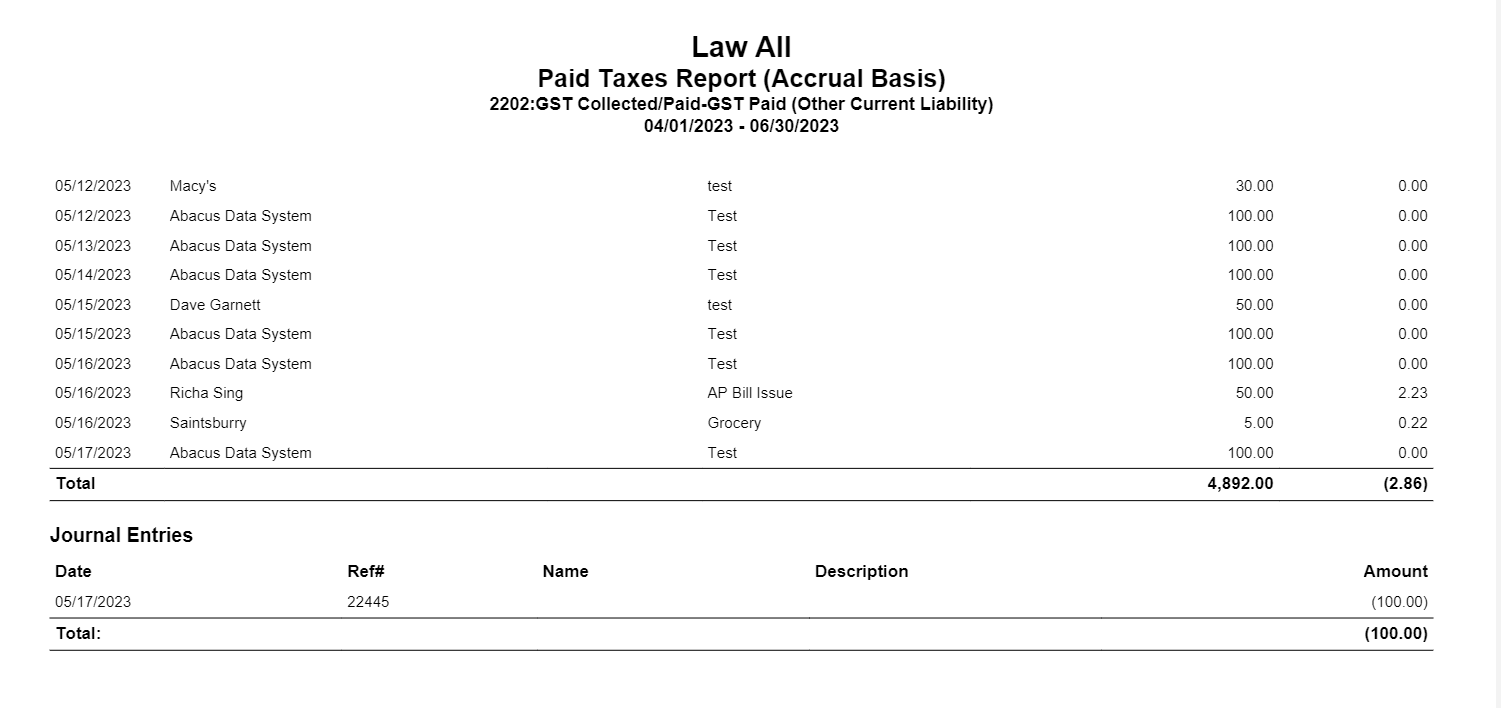
The Paid Taxes Report shows:
- The firm collected/paid taxes on vendor bills, the total for those bills, and the tax applied to them
- Void transactions along with void adjustment
- Journal entries at the end of the report
To access the report go to Reports > Tax Collection/Payments >Paid Taxes Report
Report Filters
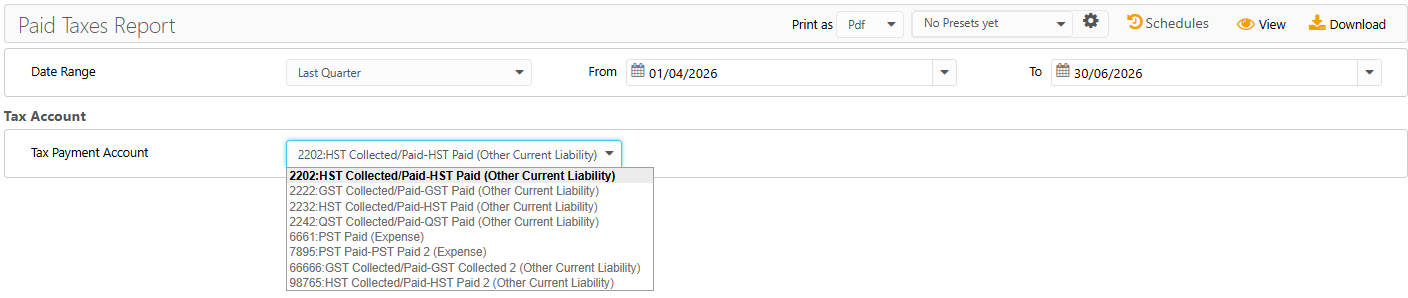
- Date Range: The date on which the tax was recorded. Choose from last month, last quarter, last year, this month, this quarter, or this year, or customize the date range to be covered in the report.
Tax Account
- Tax Payment Account: For US users, the account will default to your designated tax GL account. Canada users can select the account from the drop-down based on their province.
View/Download
Click View to preview the report or to download, select the preferred format (Excel/PDF) and click Download.
Sample Report