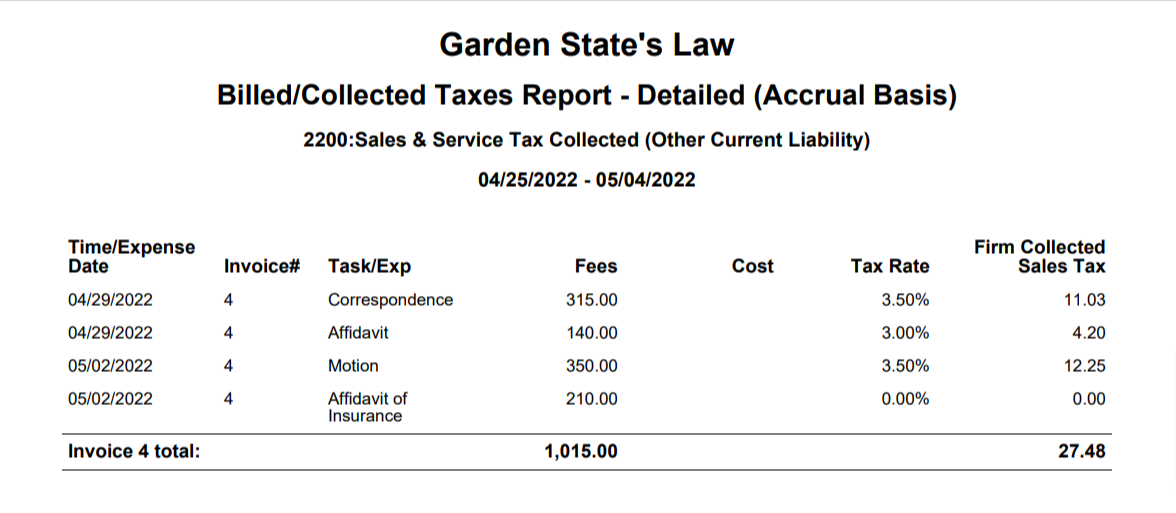
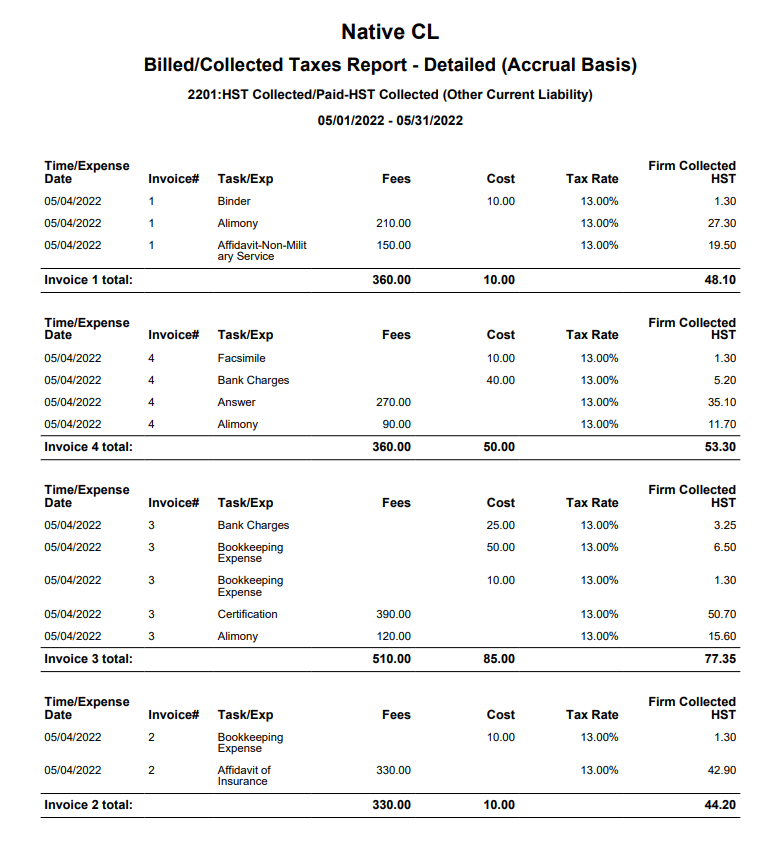
The Billed/Collected Taxes report details fees, costs, and firm-collected sales tax per invoice and in total for those invoices that have tax applied to them.
- US users can see the COA 2200: Sales & Service Tax Collected (Other Current Liability)
- In Canada, this report is called Billed/Collected Taxes and shows COA 2201: GST/HST Collected/Paid - GST/HST Collected (Other Current Liability). If you have enabled multi-province settings, the drop-down will include all the HST, GST, QST, PST accounts for which your firm has opted.
To access the report go to Reports > Tax Collection/Payments >Billed/Collected Sales Tax Taxes
Report Filters
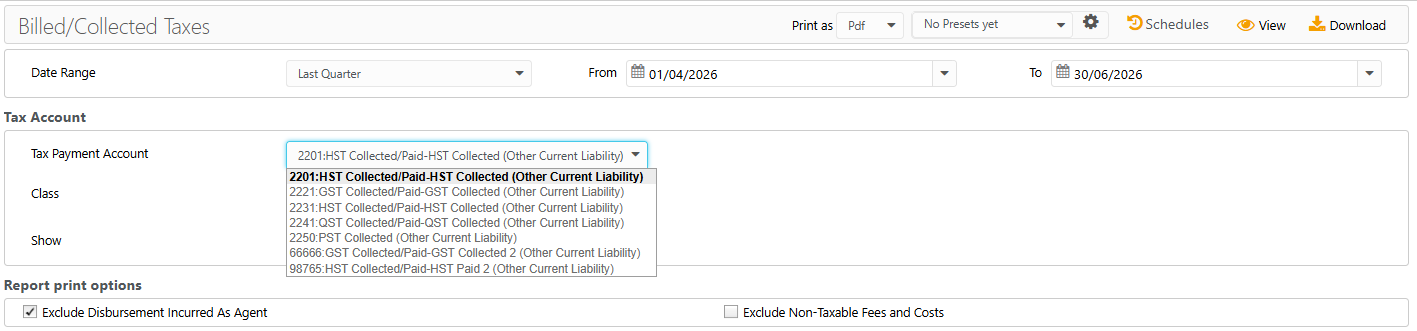
- Date Range: The date on which the tax was recorded. Choose from last month, last quarter, last year, this month, this quarter, or this year, or customize the date range to be covered in the report.
Tax Account
- Tax Payment Account: For US users, the account will default to your designated tax GL account. Canada users can select the account from the drop-down based on their province.
- Class: Select the class from the drop-down for precise tracking.
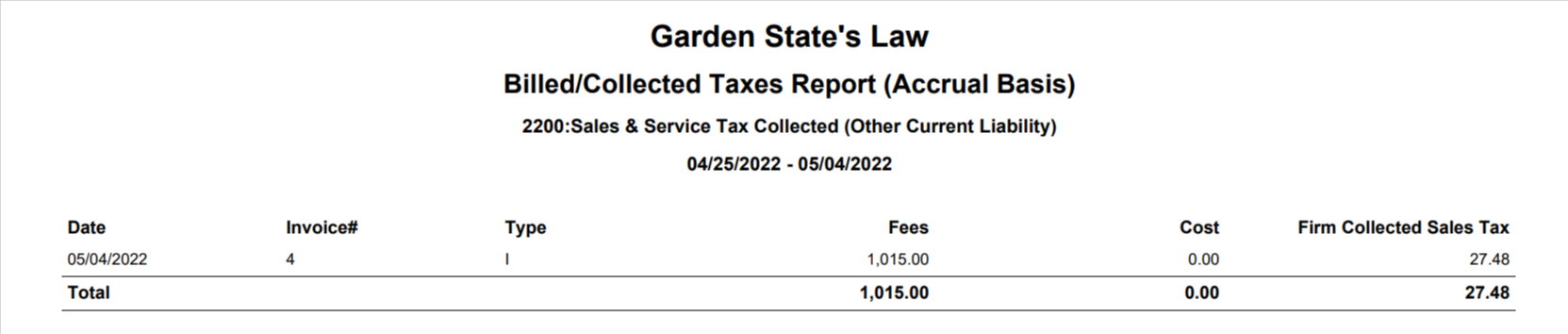
- Show: You can choose to view the Summary or Details tax account. The summary report shows the total tax collected per invoice. The details report shows the tax collected for each item on the invoice.
Report Print Options
- Exclude Disbursement Incurred as Agent: Hard costs specified as "Disbursement Incurred as Agent" can be excluded from this report. Defaults as checked, uncheck to change.
- Exclude Non-Taxable Fees and Costs: Check the box to exclude non-taxable fees and costs from invoices with taxable items.
View/Download
Click View to preview the report or to download, select the preferred format (Excel/PDF) and click Download.
Sample Report
Summary Report
Detailed Report