Enhancements
Set multiple statues of limitations, improvements to in-system payments, set defaults for calendar views, and more.
Set Multiple Statutes of Limitations
While defining the expiry of statute of limitations for each matter or matter template, you can now:
-
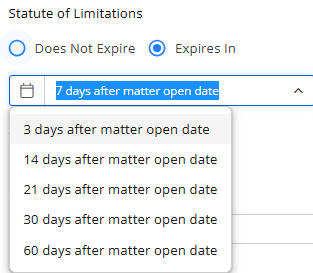
Select the number of days from the drop-down
-
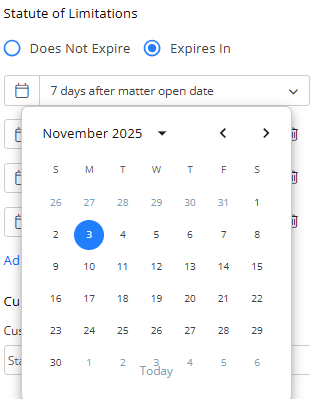
Use the calendar to select a date for the statute to expire
-
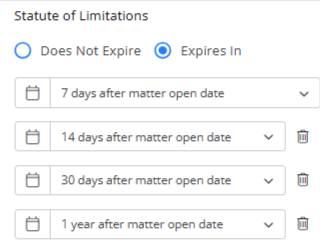
Add multiple statutes of limitations
-
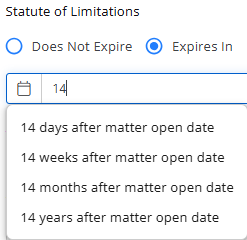
Enter just a number, and select from days, weeks, months, or years from the drop-down
Track Matter Closure in Recent Activities
When you close and delete a matter, the closure event is now automatically recorded and displayed in the Recent Activities section of the dashboard. 
Prevent Inactivating Matters with Unbilled Balances
If you try to inactivate a matter that has unbilled balances, you will get an error message informing you about the unbilled balances. 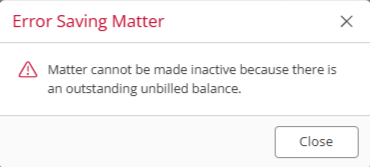
Matter Status Filter Added to Balances Widget
The Balances widget on the Firm Dashboard now includes a Matter Status filter, allowing you to refine balance data and gain more targeted insights. 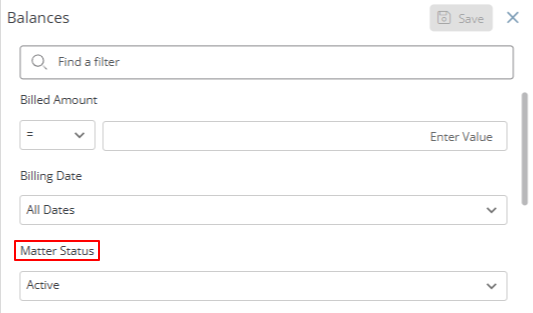
Apple Pay/Google Pay for CosmoLexPay
CosmoLexPay users with a Stax processor can now set up digital wallet payments (Apple Pay and Google Pay) under Account > Account Management > CosmoLexPay for invoices, trust retainers, and website payment links. The available wallet options will adjust automatically based on the user’s device configuration. 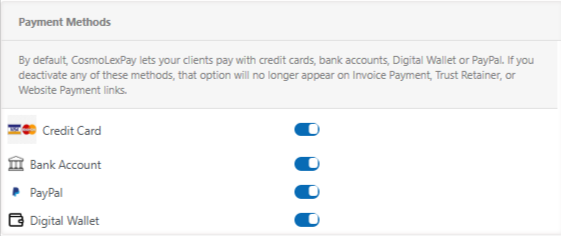
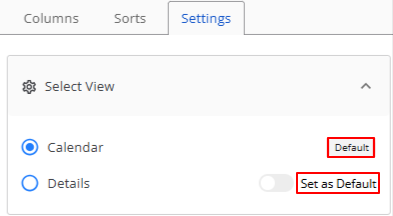
Set Default Calendar View
If you have selected a view using the settings option within the calendar screen, you can now make it your preferred default calendar view. Your selected view will persist after refreshing the page or logging out and back in.
New Invoice Merge Field
A new merge field, [#ClientHomeEmail#], has been added to the invoice template fields.
This allows firms to include the client’s home email address in invoices and email templates.
Incorrect Password
If you enter an incorrect password, the system will now give you a warning that you will be locked out after a certain number of attempts.
Firm Timesheet Permissions
The Firm Timesheet will not be visible to users who do not have access permission to the Global Timesheet option.