Access information in just the click of a hyperlink, and more.
Enhancements
Added Hyperlinks
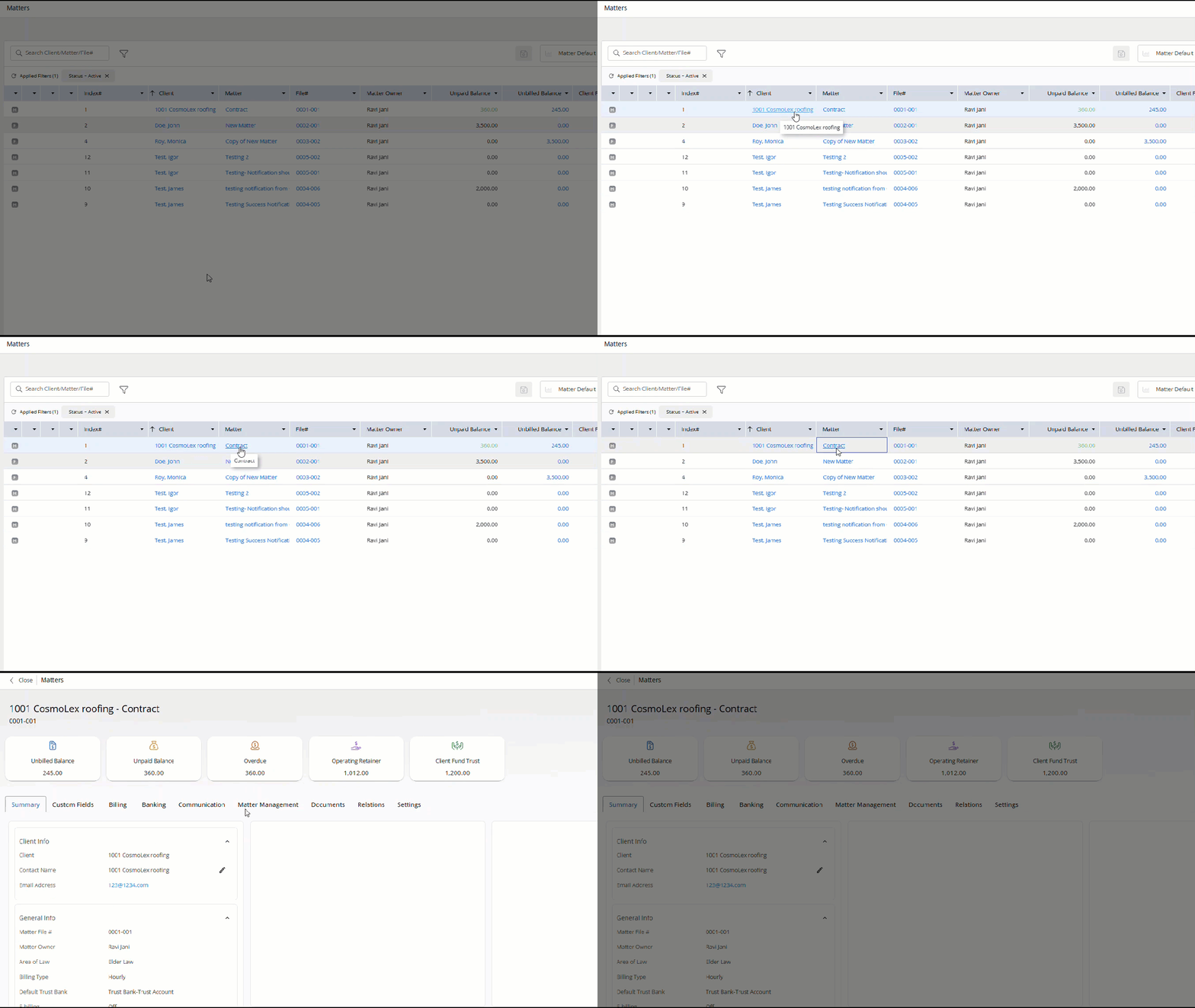
To help you easily access data in fewer clicks, we have added hyperlinks to:
- File number, matter name, client name, and unbilled balance. Wherever you see a hyperlink in the system, clicking it will take you the item's details.
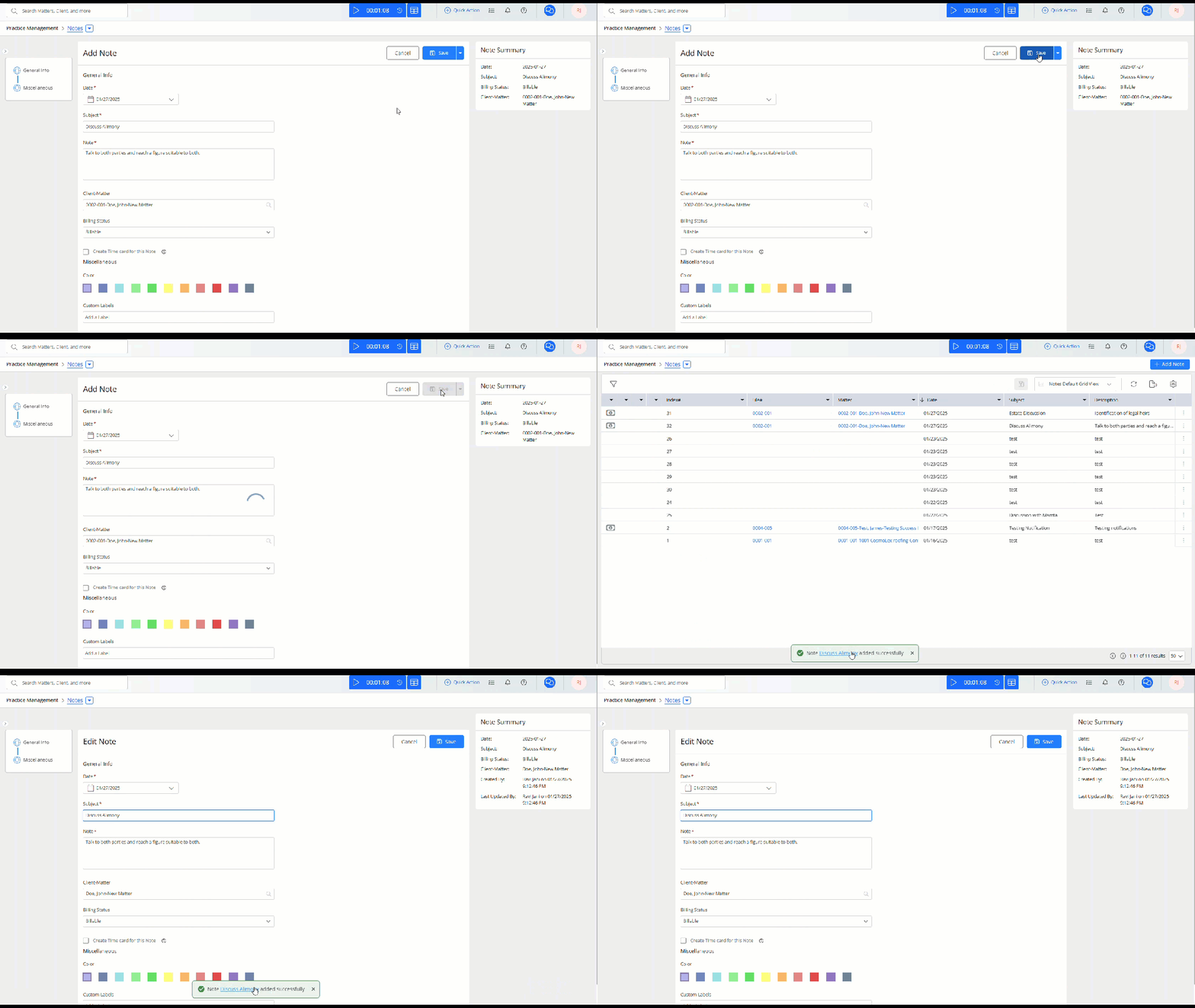
- Success notification for any newly-created item will include a hyperlink, enabling you to access/edit the item without additional steps.
Fixes
- Users will get a warning message if they try to edit a billed timecard.
- The filter flag for time/expense cards will match the priority radio buttons on the Add timecard screen.
- Users will be able to access the invoices section from Billing and Matter > Billing without delay.
- The overdue amounts displayed in Billing > Invoices will match the overdue amounts for the same invoices in the Accounts Receivable report.
- Users will be able to add additional hard costs when they click the Save and New button.
- While performing Matter-to-Matter funds transfer, the drop-down for Trust bank accounts will display all the trust banks associated with selected matter.
- Users will be able to filter items by inactive timekeepers and matter owners in all grids where there is a filter option for timekeeper and matter owner.
- Users will be able to preview invoices where the template contains the [#MatterOwnerSignature#] field.
- System will display correct tax settings based on matter or expense tax settings while adding Soft costs.