Efficiently reconcile your bank account.
Enhancements
Streamlined Bank Reconciliation
To give you greater confidence while performing a traditionally complex accounting process, we have redesigned our bank reconciliation screen. With the streamlined, intuitive screen, you will save time and reduce errors. When reconciling your bank account, you will find:
-
Clearer Navigation and Total Selected Count and Amount
Standardized format for tab names (Book Deposit, Book Payment, Book Others), making it easier for you to understand where you are and what you are reconciling.
The total count and amount for each transaction gets updated in real time and displays in the blue bar above the grid providing you visibility into your selections.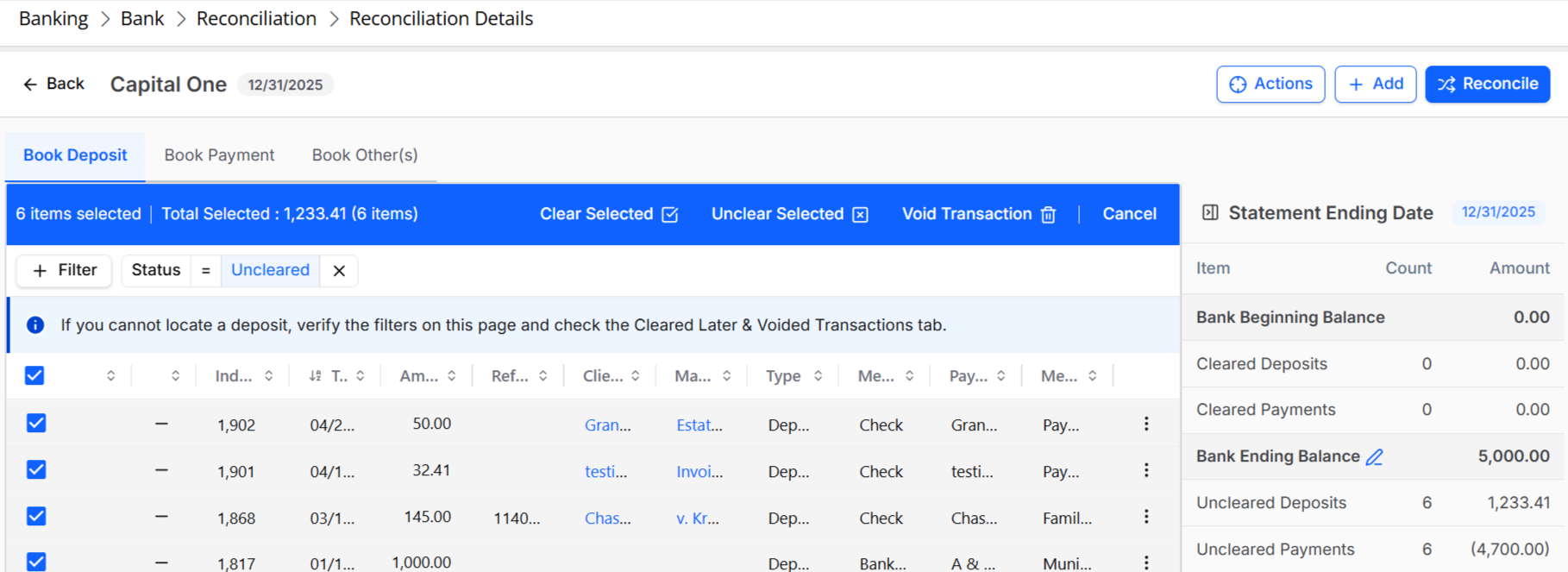
-
Search Bar in Each Section
To help you find the right transaction, we have added a search bar in each section.

-
Readily Available Filters
To filter out transactions/items, the filter box now appears just above the grid, helping you to quickly access data that you are looking for. You can use the status tab beside the filter to further refine your search.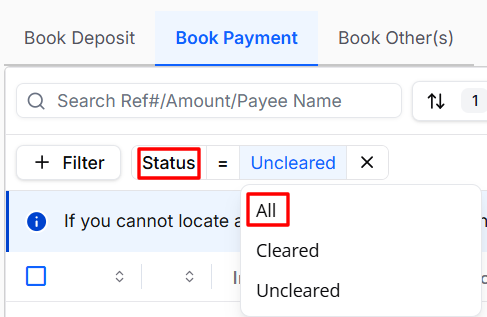
-
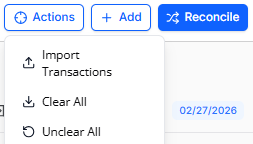
Centralized Actions
For ease of use, we have centralized common actions like import transactions, clear or unclear all transactions under the Actions button.
-
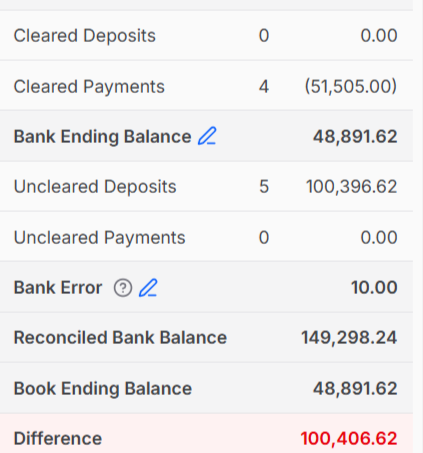
Immediate Visibility Into Difference
Any reconciliation difference that is not zero is automatically highlighted in red, ensuring discrepancies are clearly visible and easy to identify.
-
Guided Help Without Visual Clutter
Informational guidance is now delivered through a collapsible summary panel, keeping the statement summary readily available while allowing you to stay focused on the task at hand.

-
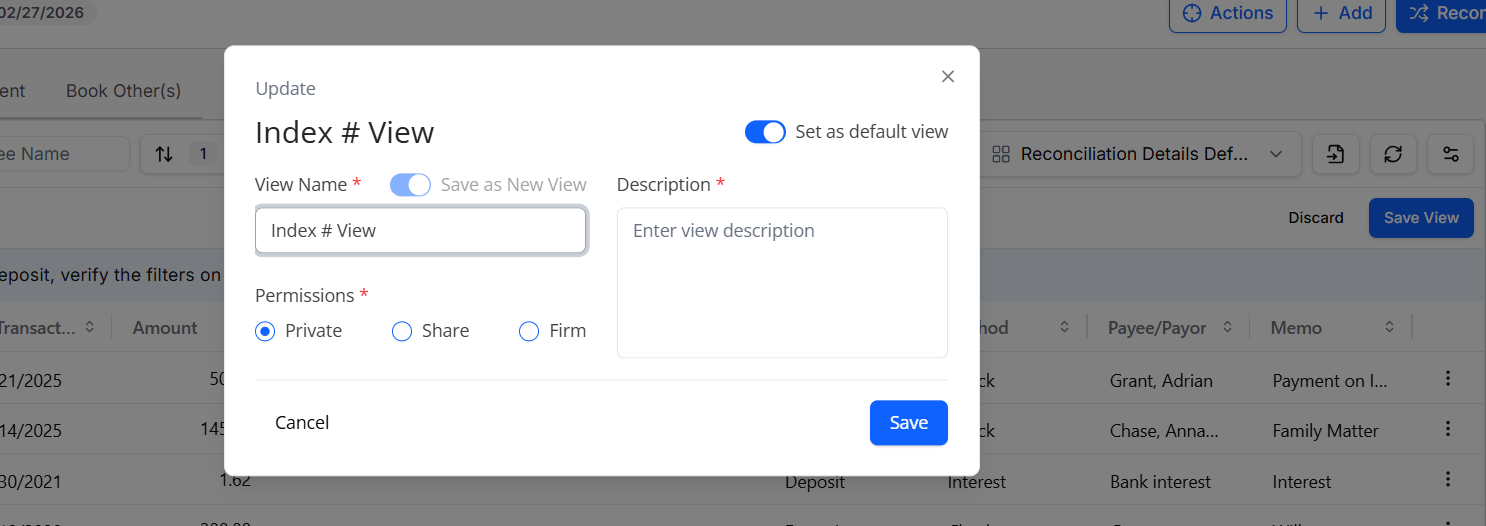
Set Default Grid View
You can configure the transaction grid by setting the row height, column size, including or excluding columns and then save the view to come back to every time you access the reconciliation details.