To cut down navigation time and organize your frequently visited pages based on your preferences, you can add them to your favorites menu at the top of the left navigation panel.
Add a Favorite
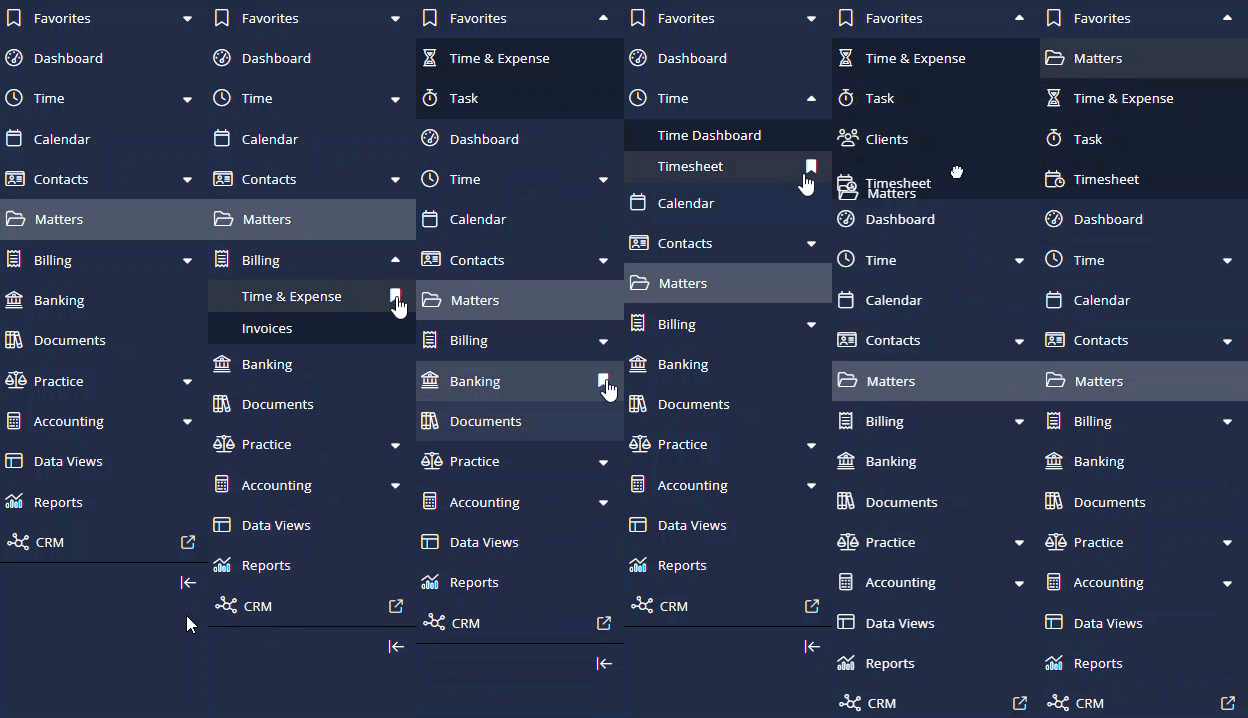
To add items to the favorites menu:
- Click on the arrow
 to expand the left navigation panel.
 - To make an item your favorite, click on the bookmark tab
 beside it.
The item will be added to your favorites at the top of the panel. - You can drag an item in the Favorites menu to move it up or down.
Remove Item from the Favorites Menu
To remove items from the favorites menu:
- Click on the arrow to expand the left navigation panel.
- From the items in your Favorites menu, select the item you wish to remove.
- Click on the crossed bookmark icon
 beside the item.
The item will be removed from the Favorites menu.