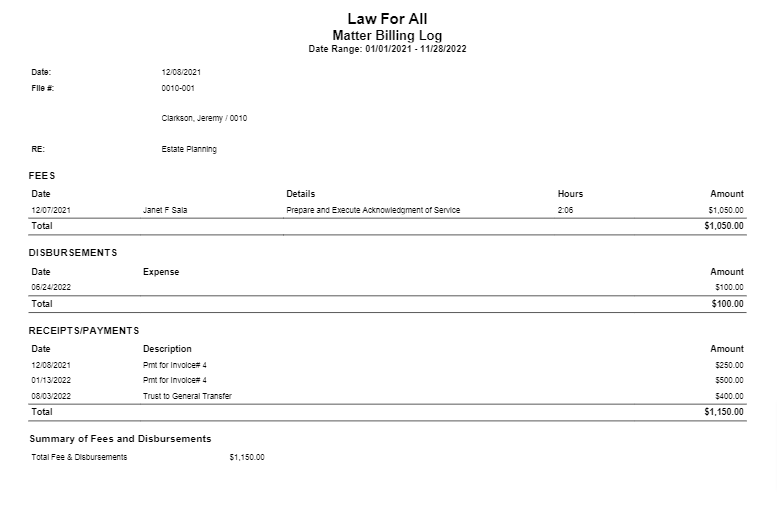
This report allows you to view and download all the activities for all your clients, for one client, or for a matter in one place.
To access this report, go to Reports > Billing > Matter Billing Log
Report Filters
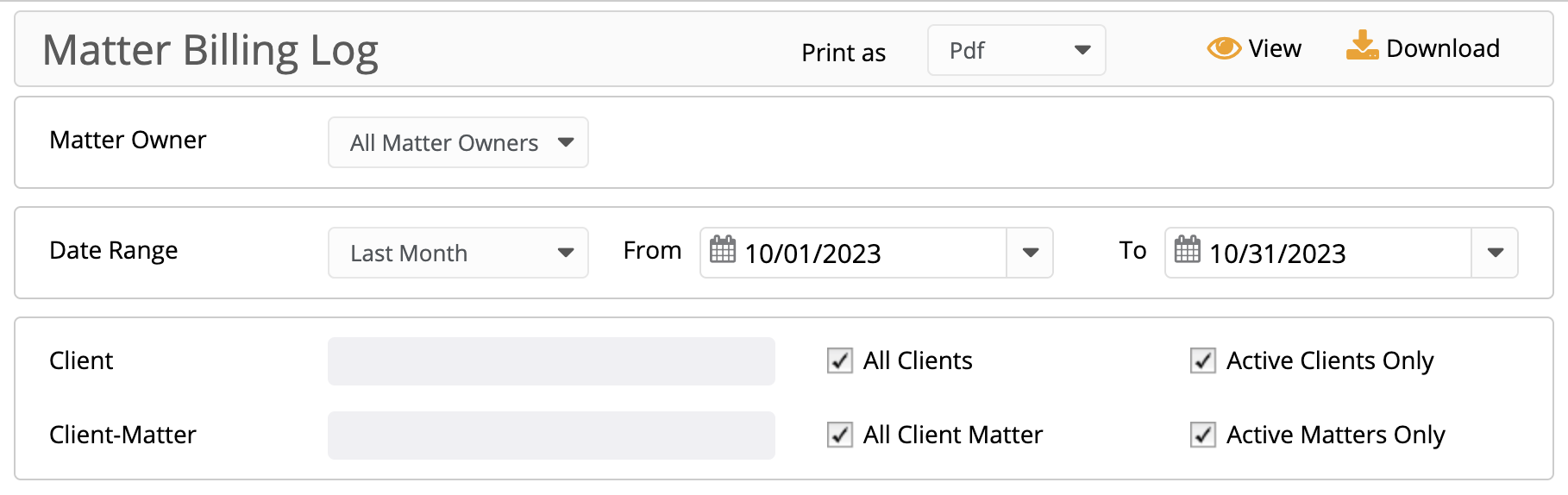
- Matter Owner: Choose all matter owners or a specific matter owner.
- Date Range: The date range options you have are All Dates, Last Month, Last Year, This Month, This Year.
- Client: Choose all clients or a specific one. You can choose to view active clients only. To include inactive clients, uncheck the box.
- Client-Matter: Choose all client-matters or a specific one. You can choose to view active matters only. To include inactive matters, uncheck the box.
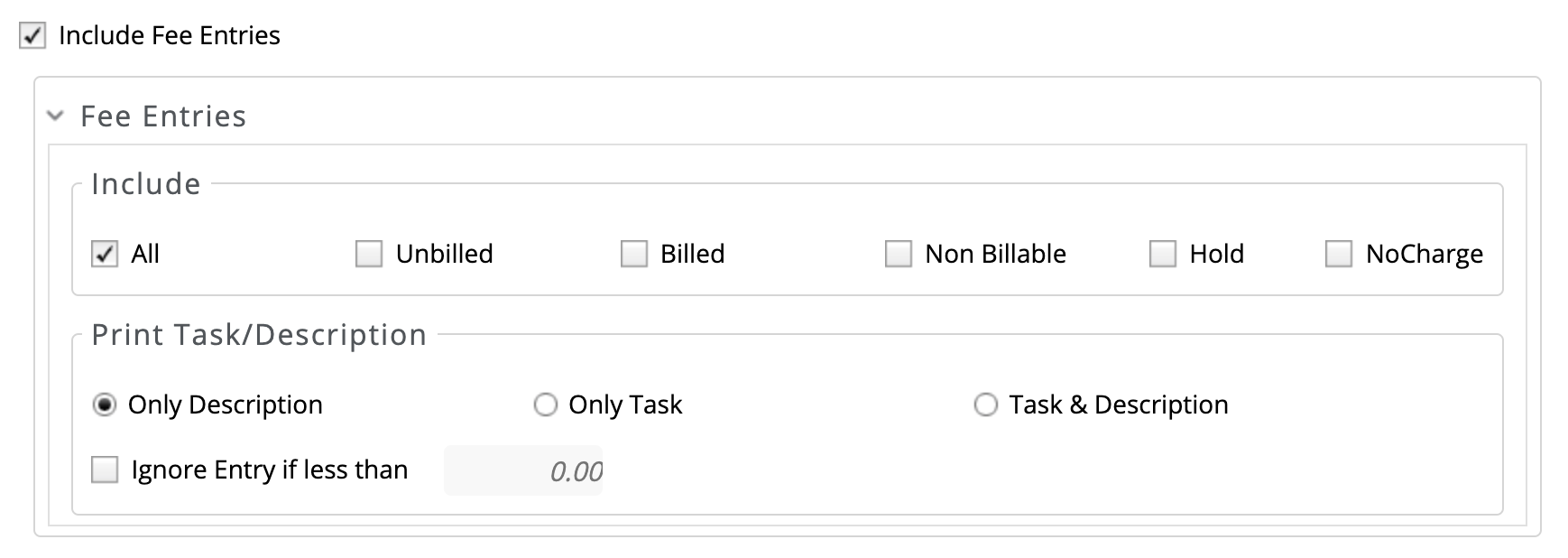
- Include Fee Entries: Check the box to include fee entries.
- Include: You can choose to include All, Unbilled, Billed, Non-Billable, Hold, No Charge.
- Print Task/Description: Click the radio button to print Only Description, Only Task, or Task & Description.
- Ignore entries if less than Check the box and enter a dollar amount.
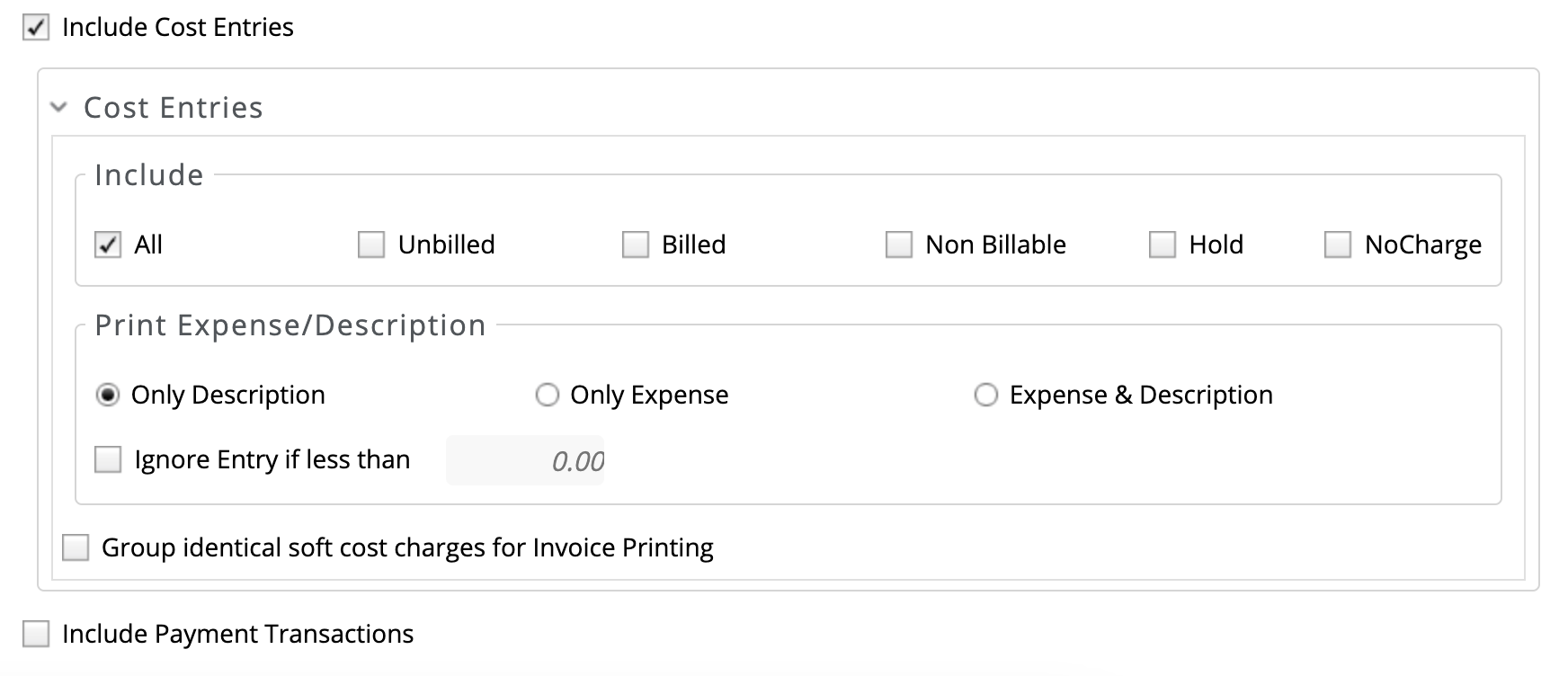
- Include Cost Entries: Check the box to include cost entries.
- Include: You can choose to include All, Unbilled, Billed, Non-Billable, Hold, No Charge.
- Print Task/Description: Click the radio button to print Only Description, Only Task, or Task & Description.
- Ignore entries if less than Check the box and enter a dollar amount.
- Group identical soft cost charges for Invoice Printing: Check the box, if desired.
- Include Payment Transactions: Check the box, if desired.
View/Download
Click View to preview the report or to download, select the preferred format (Excel/pdf) and click Download.
Sample Report