If a phone message is associated to a matter, you can bill for it.
You can bill for phone messages from:
-
Practice > Phone Messages
-
Matters > Matter Management > Phone Messages
- From the list of messages on the screen, select a message that is linked to a matter and click on the three dots at the end of the row. Here, you have the option to View Details, Mark as Read, Archive, Forward, Add Timecard or Delete the message.
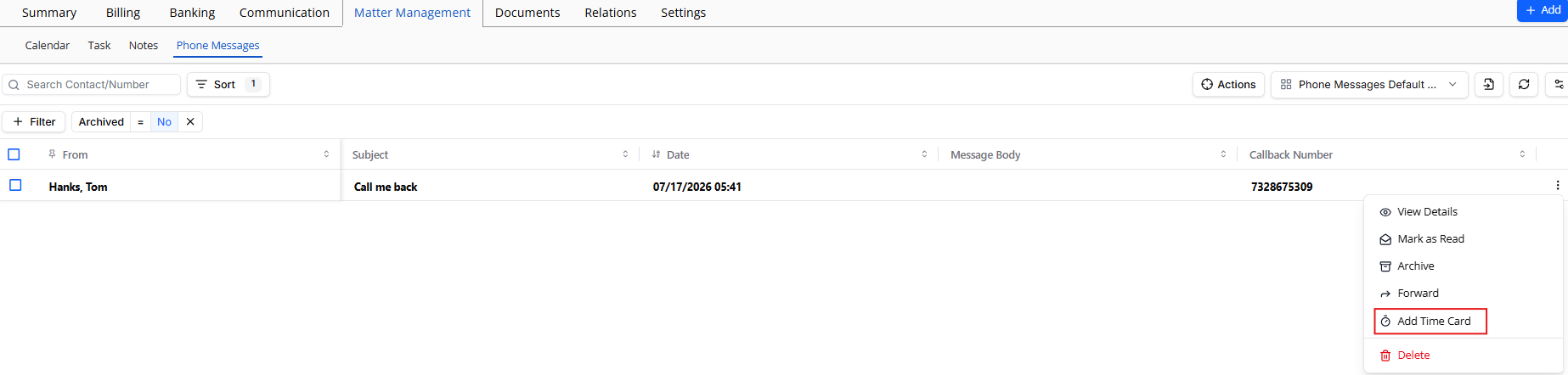
- From the drop-down, select Add Timecard. or You can select, View Details and from the tabs atop the message pane that opens, click Add Timecard.
- Complete the details on the timecard and in the lower right corner, click Save.
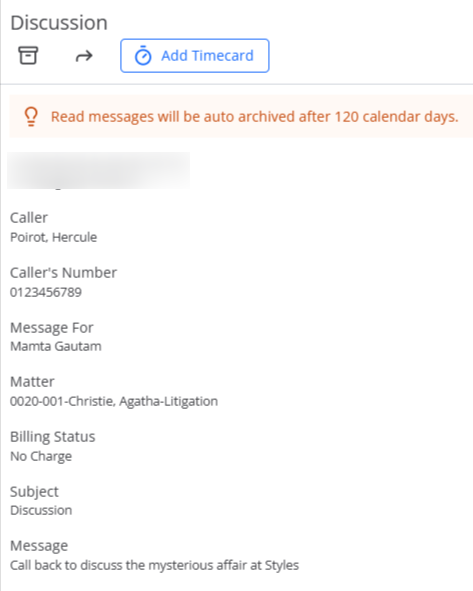
Note: If you add the timecard from Matters, the Add Time Card window opens pre-filled with the matter, subject, and message body.