You can choose to adjust the tax rates for particular fees and expenses without changing the default tax settings, or for all billable activities, if needed.
Override Tax Rates
Timecards
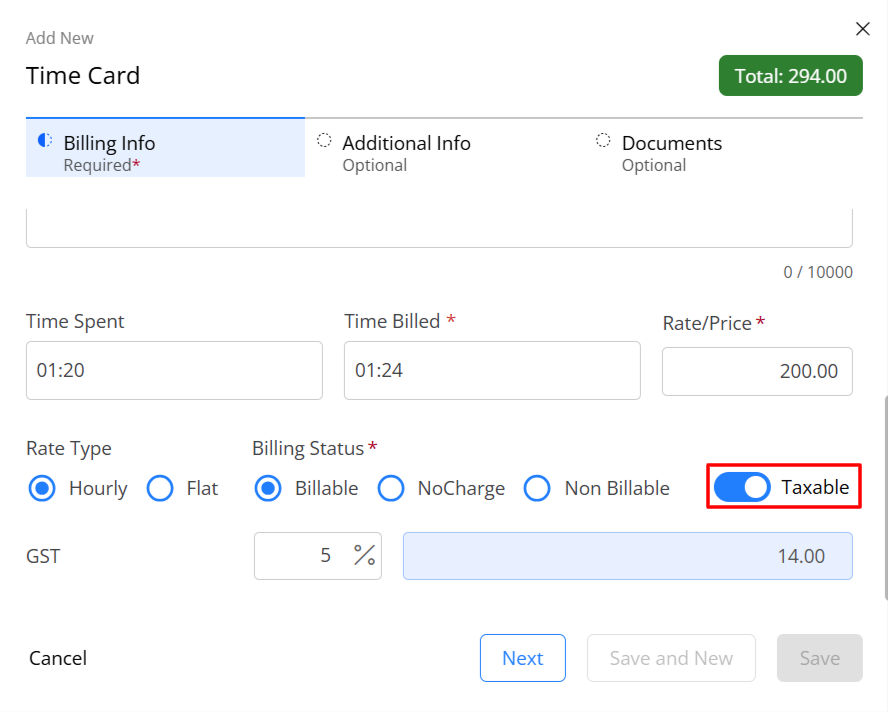
To override a timecard's tax status:
- Add or edit a time entry.
- When viewing the time entry, scroll down and turn off the Taxable toggle.
- In the lower right corner, click Save.
Soft Costs
To override a soft costs tax status:
- Add or edit the soft cost.
- When viewing the soft cost, scroll down and turn off the Taxable toggle.
- In the upper right corner, click Save.
Hard Costs
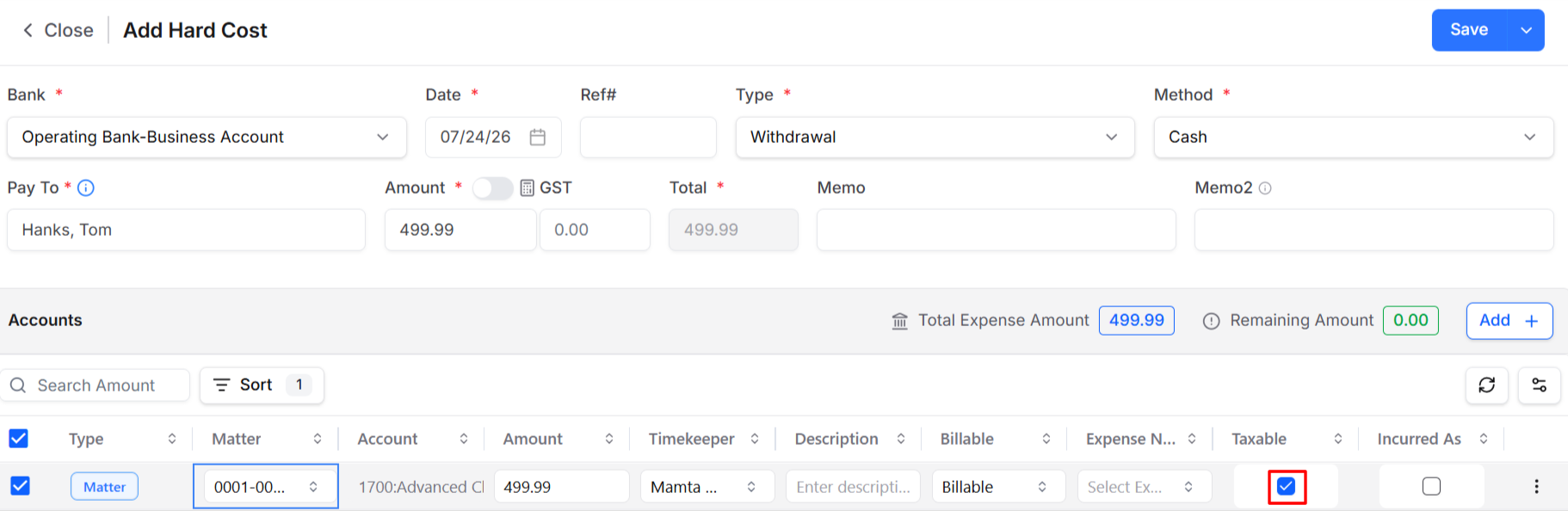
To override a hard cost's tax status:
- Add or edit the hard cost.
- When viewing the hard cost, uncheck the Taxable box.
- In the upper right corner, click Save.