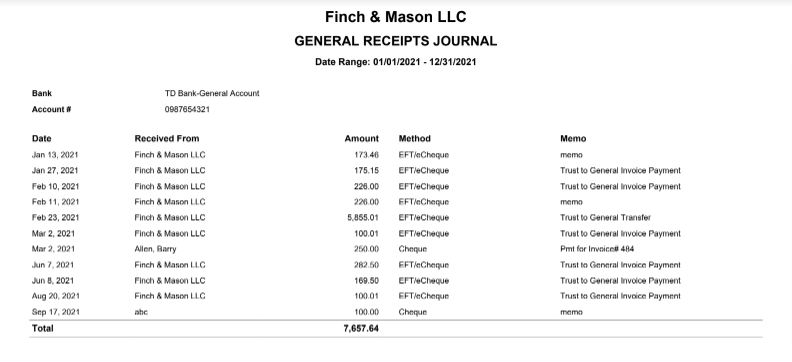
The General Receipts Journal report lists deposits to the specified general (operating) bank during your selected date range. It also indicates the applicable matter if a deposit is a payment on an invoice.
To access the report, go to Reports > Law Society Compliance Docs >General Receipts Journal
Report Filters

- Operating Bank: Choose the particular operating account for which you wish to see activity.
- Date Range: You can capture the range of banking activity you wish to see and customize the date range to be covered in the report.
- Method of Payment: Choose how the funds were deposited into the account. You can also choose "All" which will show all methods.
View/Download
Click View to preview the report or to download, select the preferred format (Excel/pdf) and click Download.
Sample Report