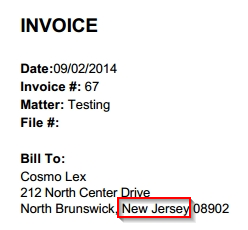
You can display the state name instead of its abbreviation on invoices.
To display the state name:
- From the toolbar atop the screen, click your Profile Icon.
- From the drop-down, click Setup.
- From the Setup left navigation, click Firm Settings.
- From the tabs atop the Firm Settings screen, click Invoice Settings.
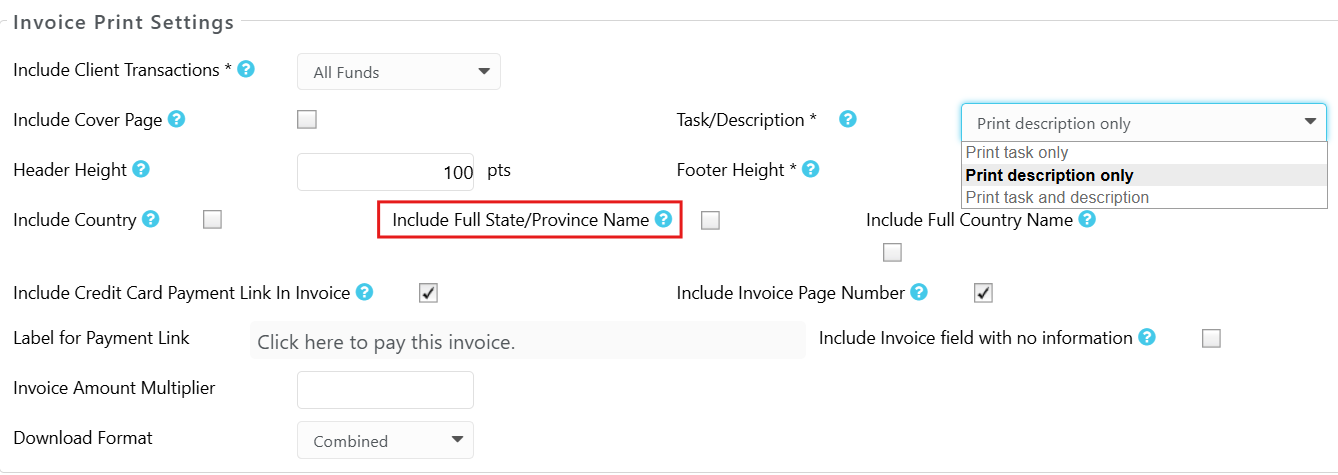
- Under Invoice Print Settings, click the box next to Print Full State/ Province Name to check it.
- Click Save.
The state name will display on invoices.
Here is an example: