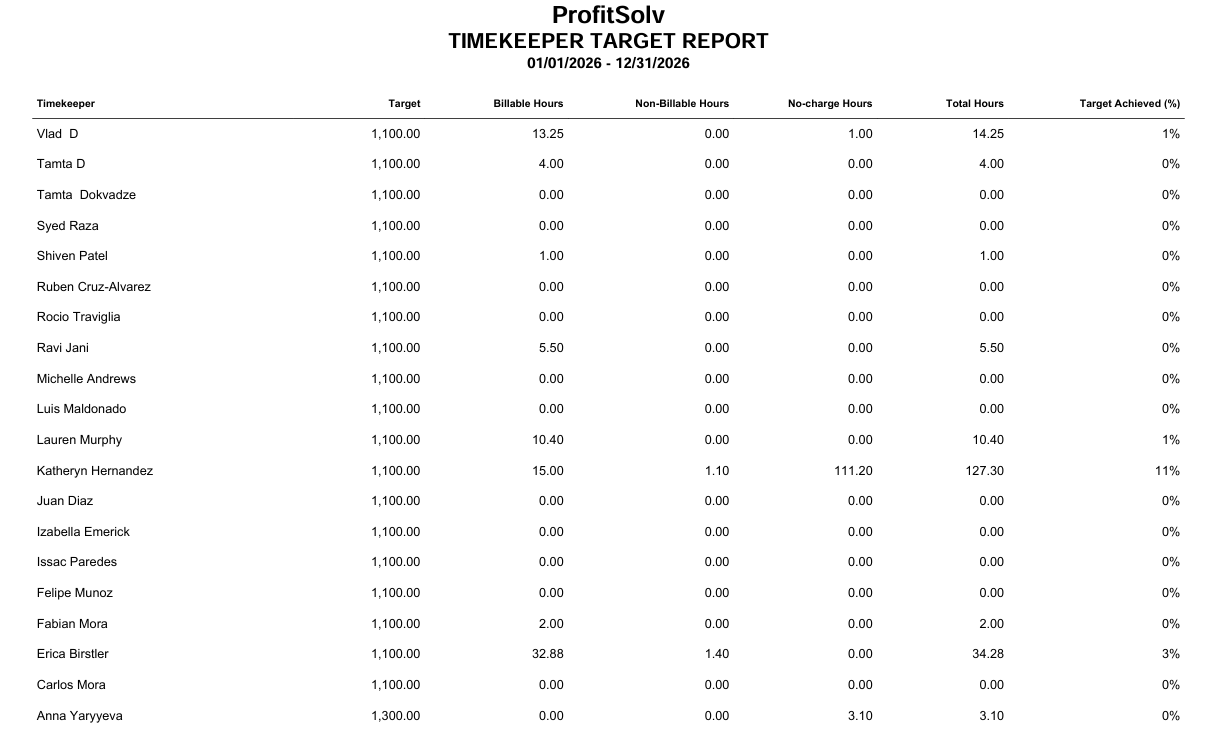
You can use this report to see every timekeeper’s progress against their targets in one place.
To access the report, go to Reports > Financial Productivity >Timekeepers Target Report
Report Filters
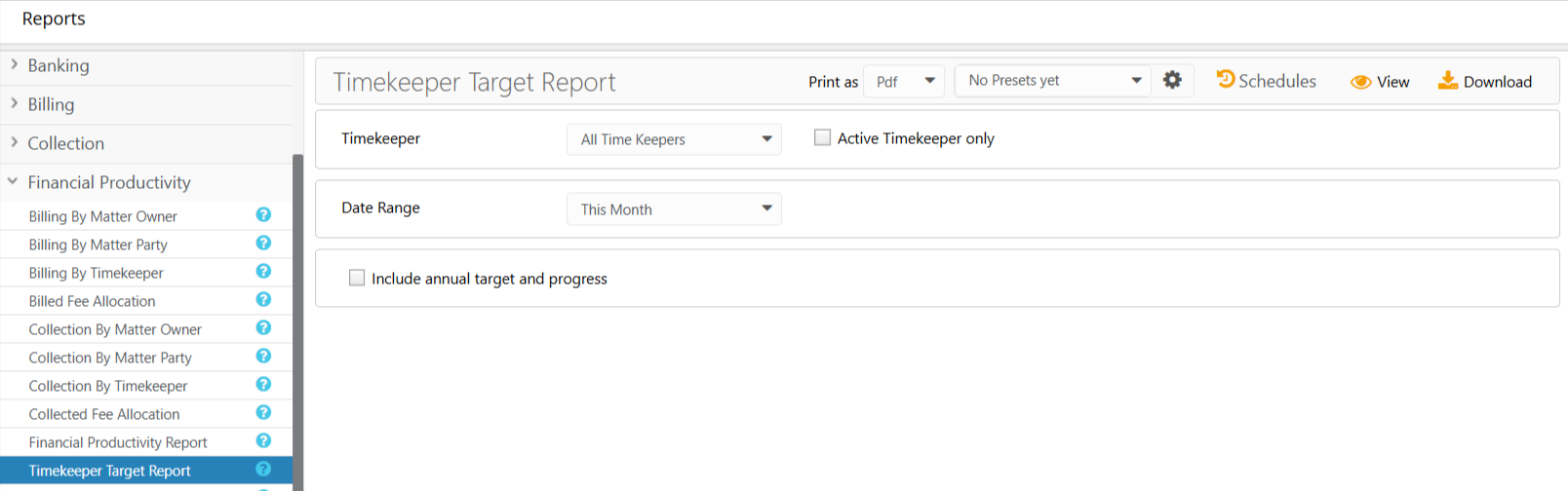
- Timekeeper: Choose all timekeepers or a specific timekeeper. Check the Active Timekeeper only box to exclude all inactive timekeepers from the timekeeper drop-down.
- Date Range: The date range options you have are This Month, Last Month, This Quarter, Last Quarter, Last Fiscal Year, and This Fiscal Year. You can also customize the date range to be covered in the report.
- Show: This option permits you to select between Summary and Details and will only display if you choose a fiscal year from the date range.
- Include Annual Target and Progress: Check the box if you wish to include the annual target and progress of the selected timekeepers.
View/Download
Click View to preview the report or to download, select the preferred format (Excel/pdf) and click Download.
Sample Report