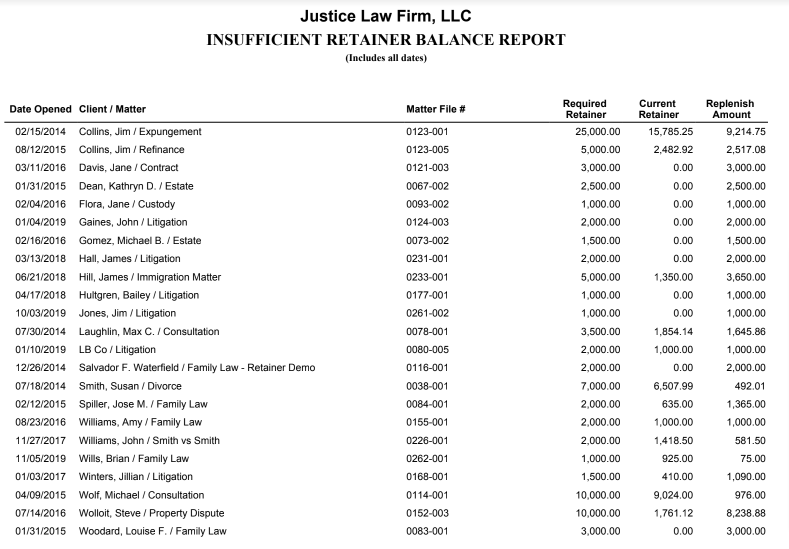
This report shows clients whose matter retainer balances have fallen below minimum required balances.
To access the report, go to Reports > Collection >Insufficient Retainer Balance
Report Filters

- Sort By: You can sort by client name, matter, matter file number, or date opened.
View/Download
Click View to preview the report or to download, select the preferred format (Excel/pdf) and click Download.
Sample Report