The Document AI Summary tool makes it easy to understand complex files by pulling out key facts and outlines. It only uses clearly stated information from the text, so it doesn’t guess, interpret, or give legal advice. If a document has unclear headings or missing details, those sections will stay empty to avoid errors.
Watch a Video
Note: The AI Summary feature is currently available for native document storage only.
The AI summary feature supports the following file types:
Documents
.PDF, .DOCX, .DOC, .RTF, .TXT
Web & Email
.EML, .HTML
From Matter Details
To view the AI Summary of a document from Matters:
- From the left navigation panel, click Matters.
- On the Matters screen, double-click the matter and scroll down to its Summary section.
- From the tabs atop the Matters summary section, click Documents.
- On the Documents screen, single-click the applicable subfolder.
The subfolder's contents display.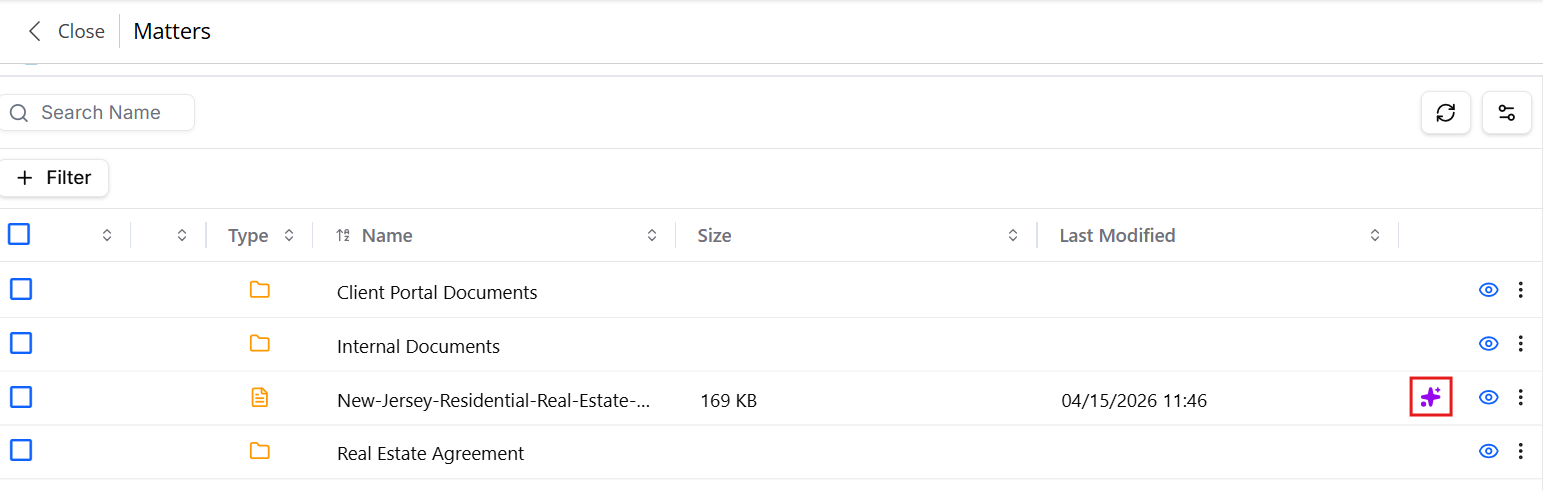
- Select the document and click on the sparkle icon towards the end of the row.
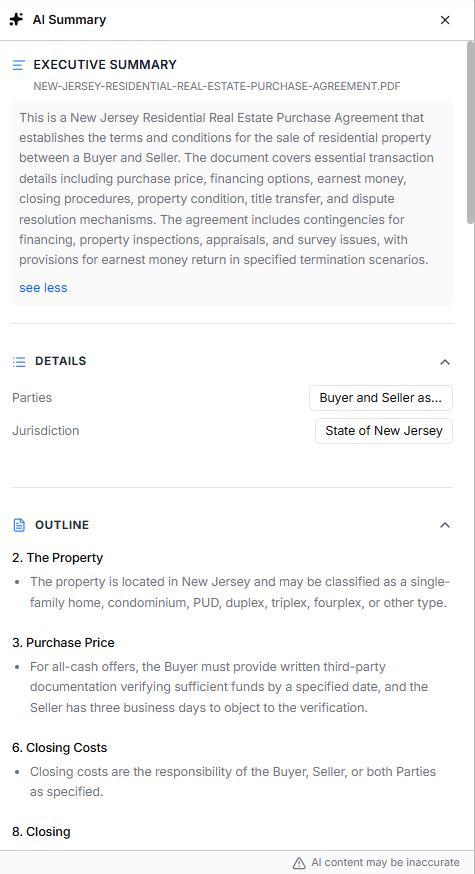
The system will display the AI Summary of the document that includes an executive summary, details providing up to 7 high-level attributes, and an outline section with headings from the document and brief summaries of each.
Note: You are advised to verify the accuracy of the content.
From Documents
To view the AI Summary of a document from the global Documents section:
- From the left navigation panel, click Documents.
- On the Documents screen, single-click the applicable matter's folder.
The matter's folder structure displays. - Click the subfolder within which the document is located.
The folder's contents display on the right half of the screen.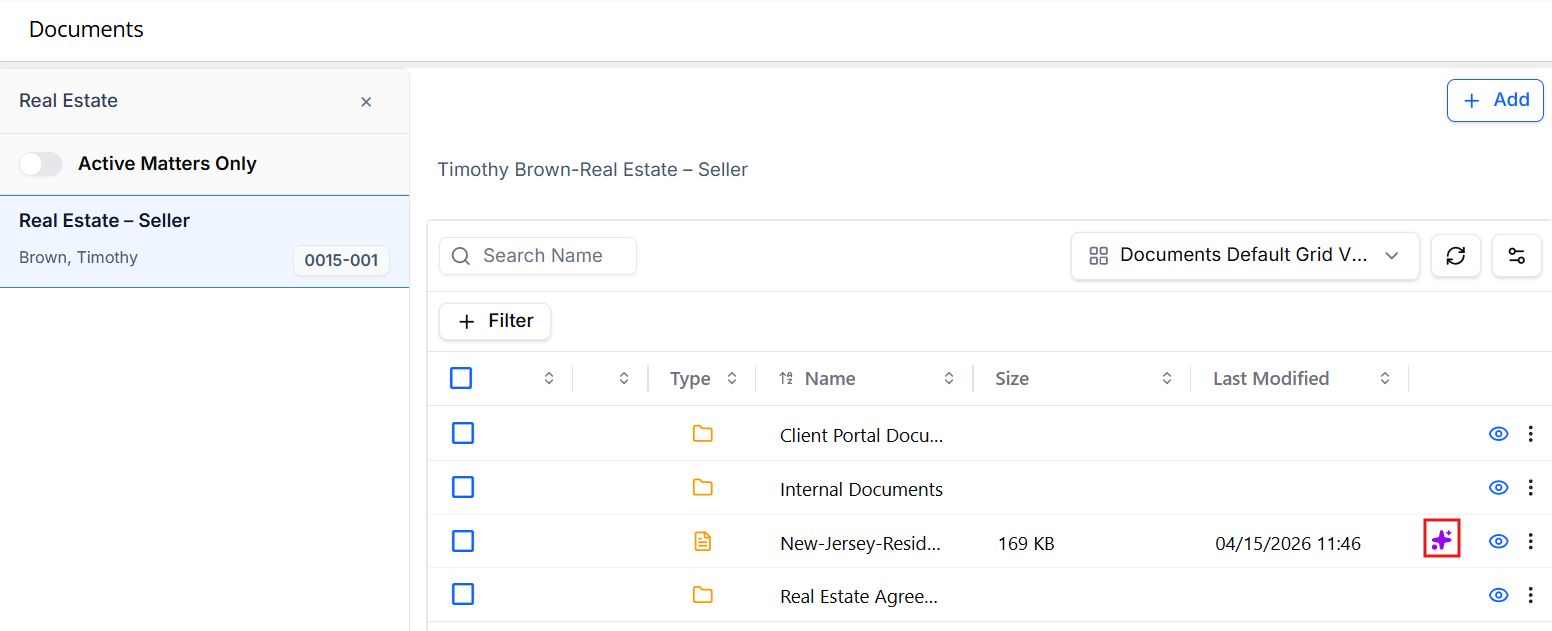
- Select the document and click on the sparkle AI icon towards the end of the row.
The system will display the AI Summary of the document that includes an executive summary, details providing up to 7 high-level attributes, and an outline section with headings from the document and brief summaries of each.
Note: You are advised to verify the accuracy of the content.