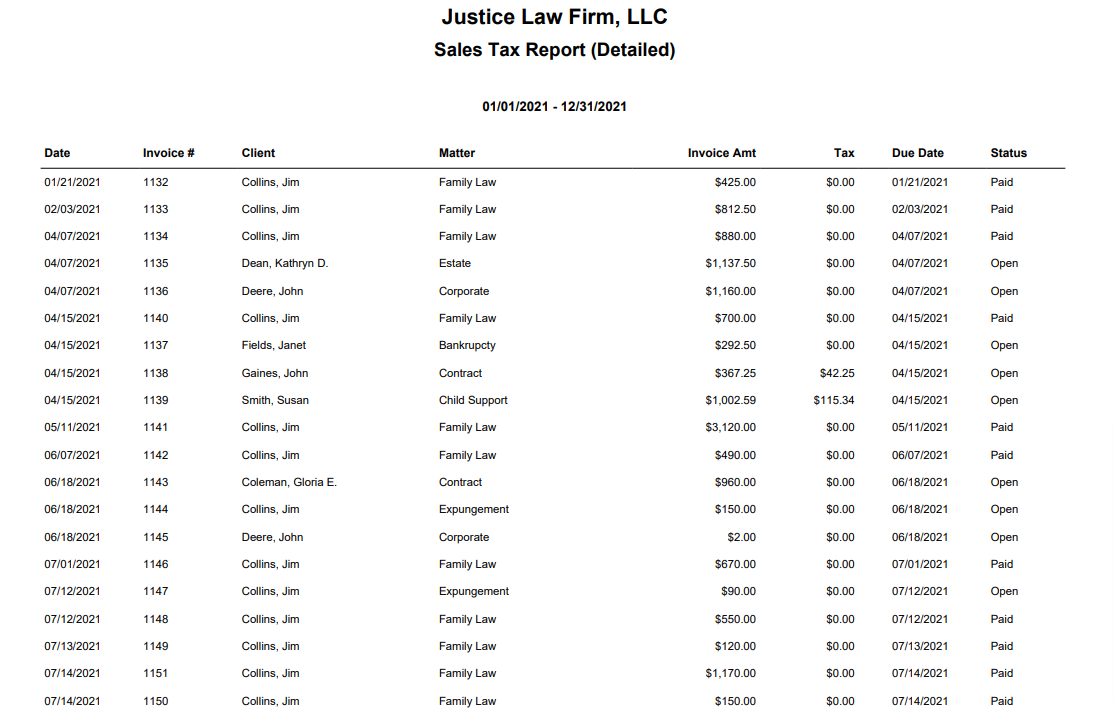
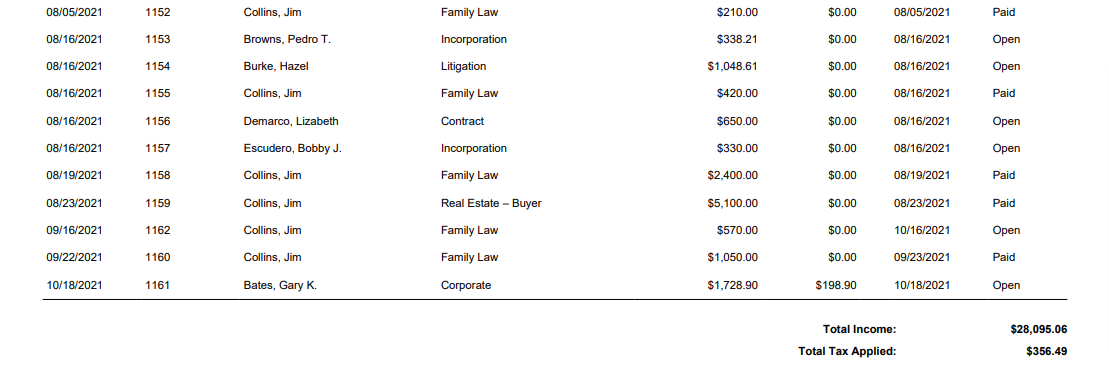
If your firm collects tax from clients, you can use this report to document the tax collected.
To access this report, go to Reports > Accounting >Sales Tax
Report Filters

Date Range: The date range options you have are All Dates, Last Month, Last Year, This Month, and This Year. You can override the date range via the from/to boxes to the right.
Show: You can choose to show a summary or details view. The summary will list the total income and total tax applied. The detailed view (below) will list the tax per invoice.
View/Download
Click View to preview the report or to download, select the preferred format (Excel/pdf) and click Download. Learn more about generating reports.
Sample Report