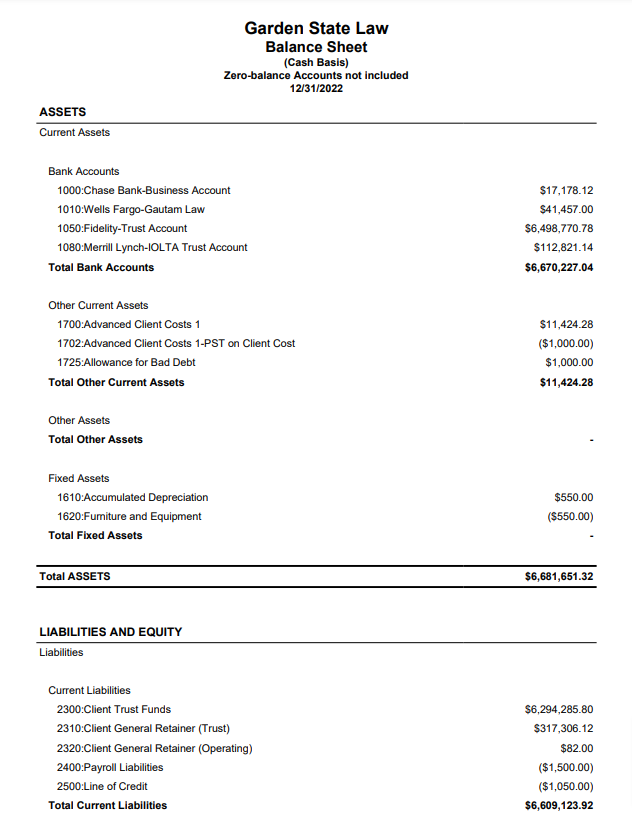
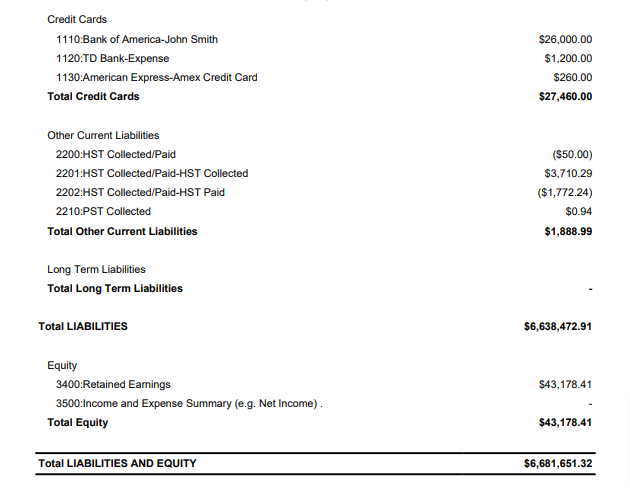
The Balance Sheet is a statement of assets, liabilities, and capital of your business at a particular point in time, detailing the balance of income and expenditures over the preceding period.
To access this report, go to Reports > Accounting > Balance Sheet
Report Filters
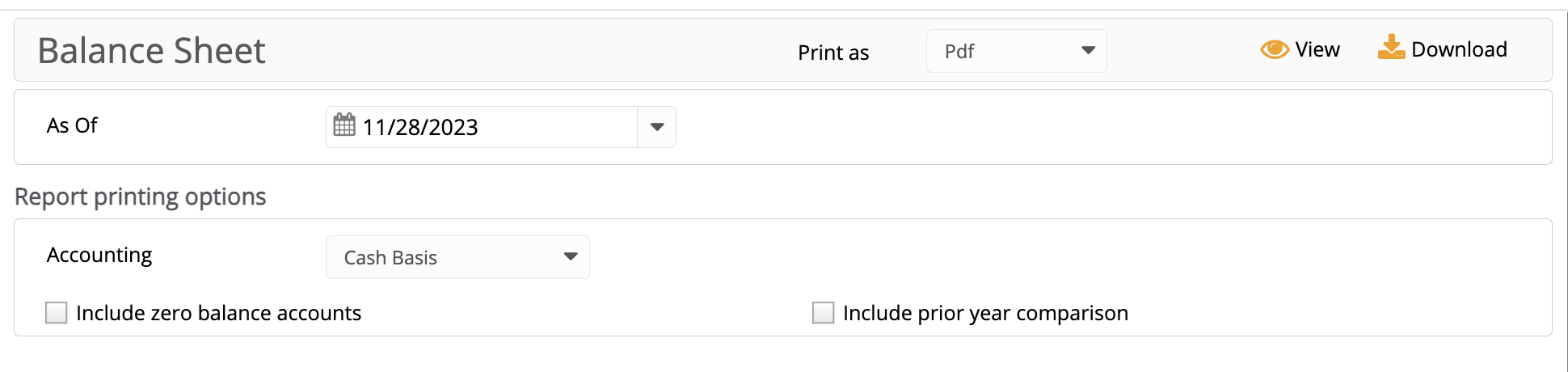
- As of Date: Select the date up until which you would like the balances to be included.
- Accounting: You can generate the Balance Sheet Report for two types of accounting: cash basis or accrual basis.
Report Printing Options
- Include zero balance accounts: Checking this option will include those balance sheet accounts that have 0.00 balances. This is unchecked by default.
- Include prior year comparison: Checking this option will show amounts from the prior year as well as dollar and percentage differences. This is unchecked by default.
View/Download
Click View to preview the report or to download, select the preferred format (Excel/pdf) and click Download.
Sample Report
Balance Sheet (Prior Year Comparison)
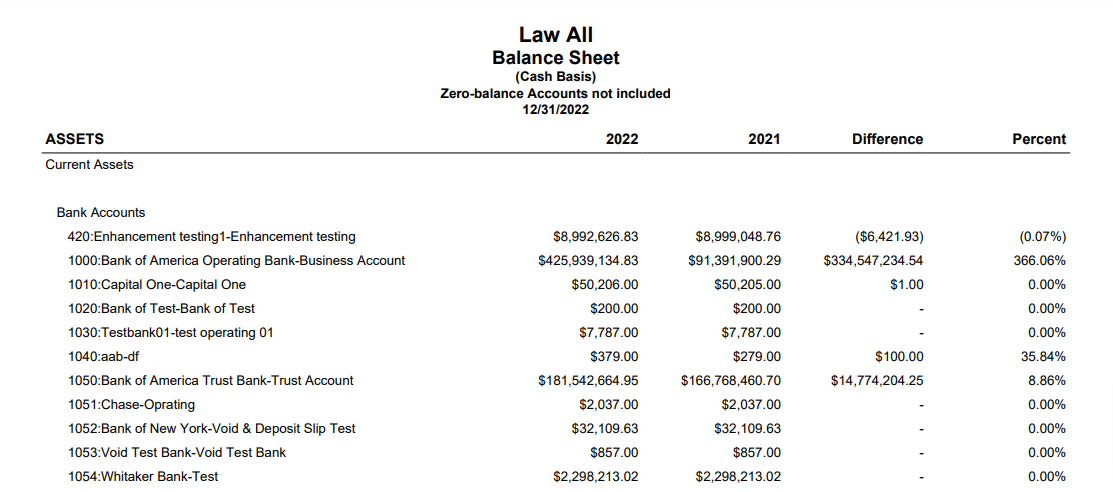
Balance Sheet (Cash Basis)